Adding Funds (manually)
Learn how to add funds to your prepaid balance using PayPal or credit card payments.
You can view your current prepaid balance in the Dashboard.
Overview
You can add funds to your account's prepaid balance through our secure payment system. The minimum payment amount is $2.95 USD, and you can choose between PayPal or major credit cards (Mastercard, Discover, American Express, or JCB).
Adding Funds via PayPal
PayPal offers a convenient way to add funds to your account:
- Navigate to the add funds page
- Enter the amount you wish to add (minimum $2.95 USD)
- Select "PayPal" as your payment method
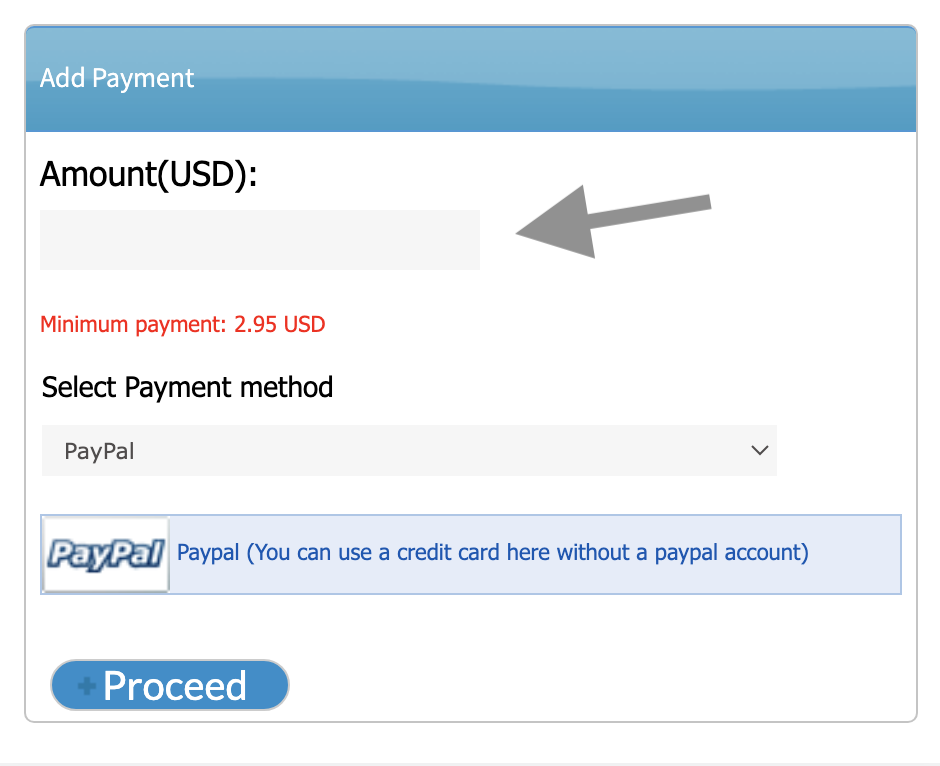
You can use a credit card through PayPal without having a PayPal account
Adding Funds via Credit Card
First-Time Credit Card Setup
When using a credit card for the first time:
- Navigate to the add funds page
- Enter the desired amount
- Select "Credit Card" as your payment method
- Fill in your card and billing information
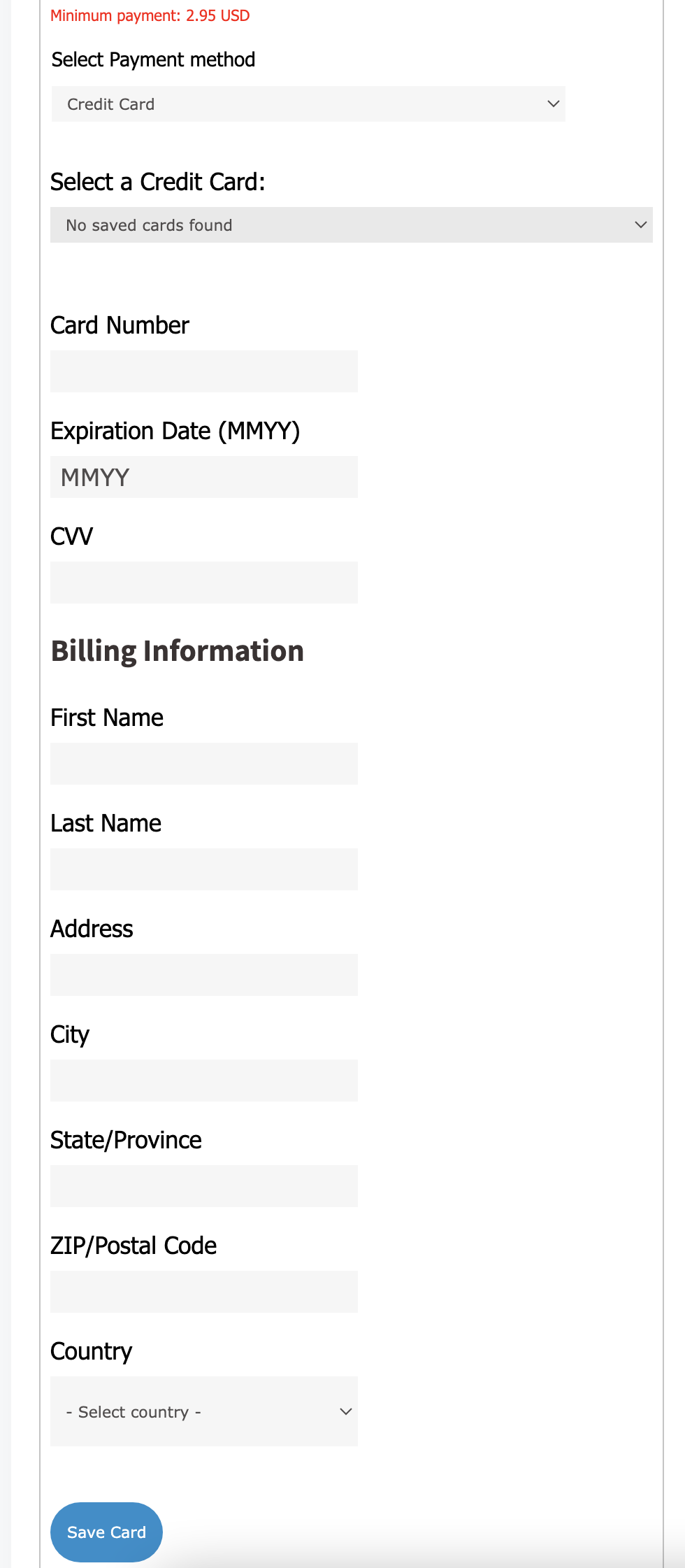
Once you save a card, it becomes available for future payments and is set as the default card for number renewals
Using a Saved Card
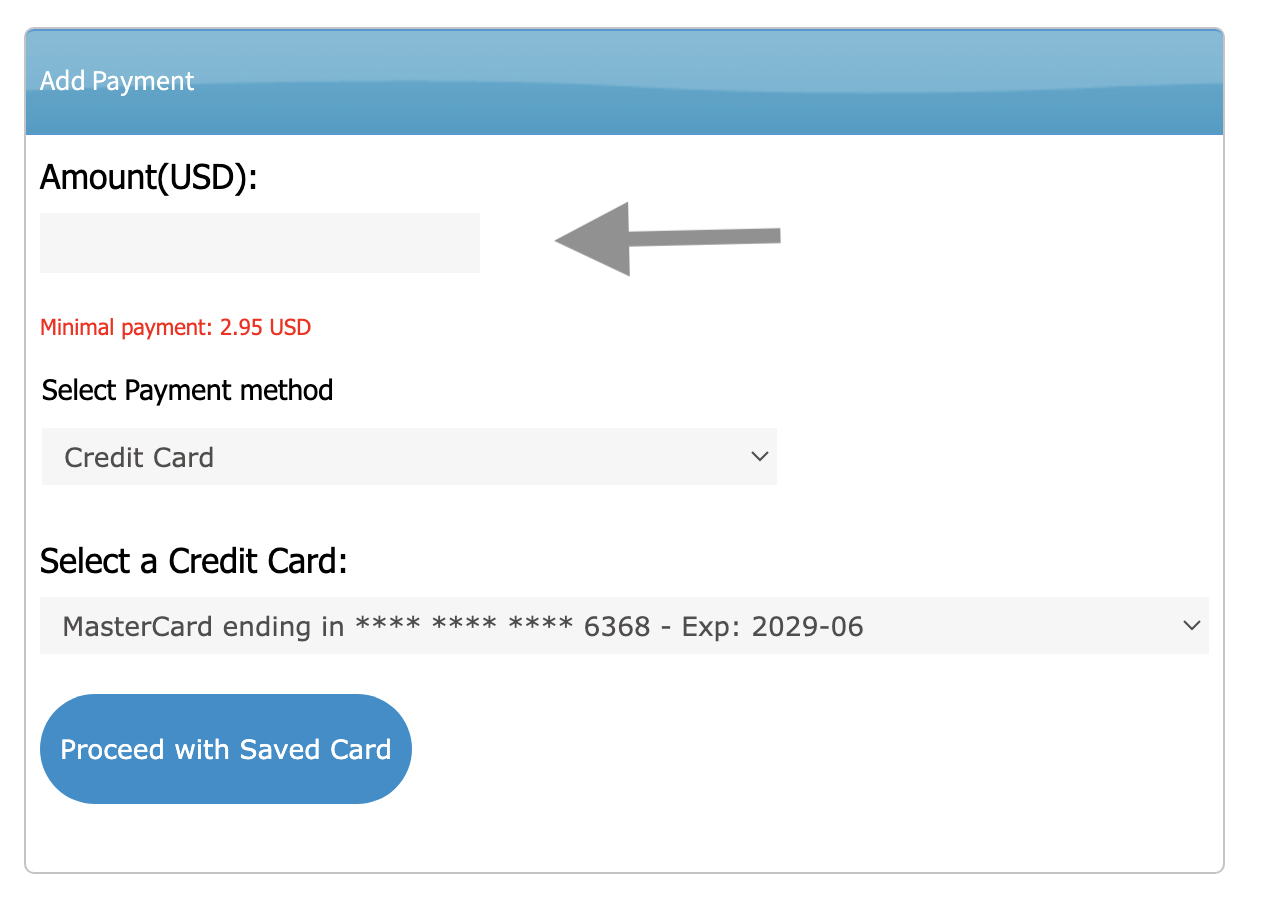
After saving a card, you can quickly add funds:
- Enter the amount to add
- Select "Credit Card"
- Choose your saved card from the dropdown
- Click "Proceed with Saved Card"
Managing Saved Cards
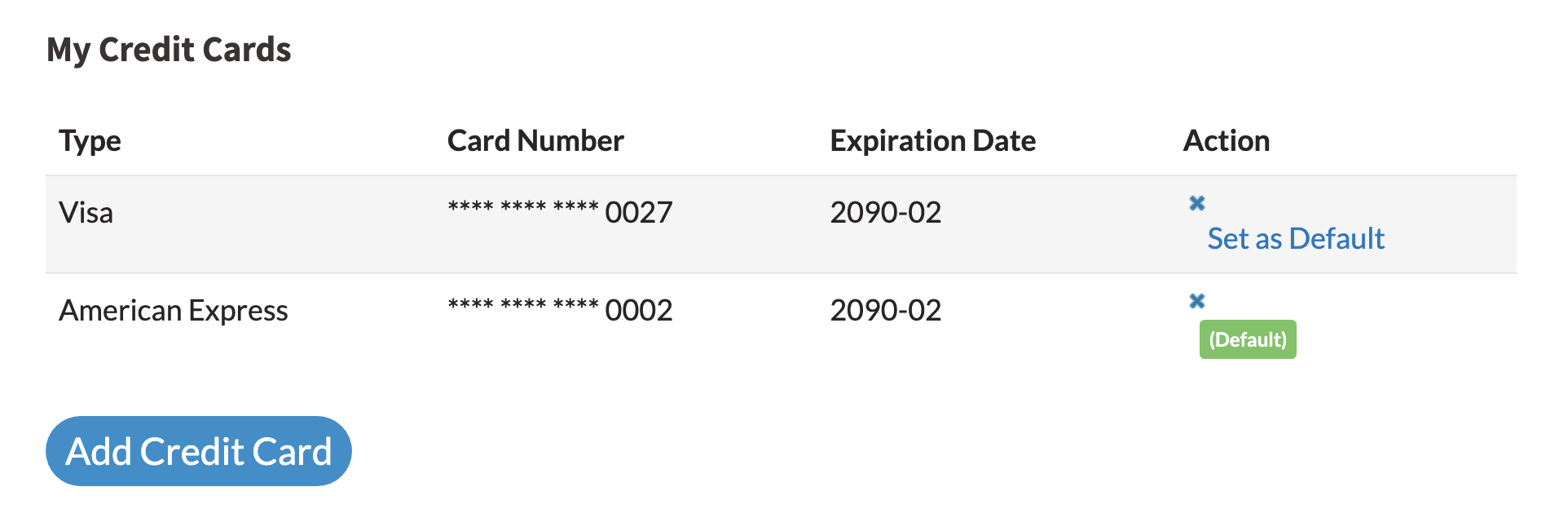
You can view and manage your saved cards in the Account Settings:
- Go to Account Settings
- View your saved cards under the "My Credit Cards" section at the bottom
- Set a default card for automatic renewals and/or auto-refills
- Add or remove credit cards
Using the Phone System?
Funds you add are available to the phone system within a few seconds. If outbound or forwarded calls still fail after a payment, use the Refresh calling balance button on the Phone System Panel page.