Introduction 👋
Welcome to the FlyNumber documentation.
Here you'll find everything you need to know as it pertains to your FlyNumber account.
- Change forwarding settings
- Setup VoIP
- Configure the cloud phone system
- Setup simple to complex call flows
- Billing and payment information
- Porting phone numbers
What we're about
- We have local phone numbers from over 90 countries — real direct-dial numbers under your full control.
- Phone calls can be handled through our VoIP infrastructure, forwarded to other phone numbers or via 3rd party VoIP solutions.
- Optional cloud phone system for advanced routing capabilities.
- Incoming SMS to email (available for select numbers, check coverage page). Outbound SMS works by default where a number's coverage includes SMS out — it's a personal, person-to-person (P2P) service for one-on-one conversations only (bulk, marketing, and automated A2P traffic isn't supported today). US outbound SMS is coming soon and will run as A2P.
Your control panel
Sign in at panel.flynumber.com and you'll land on the Dashboard — your account at a glance: prepaid balance, active numbers, recent call activity, and a shortcut to add another FlyNumber.
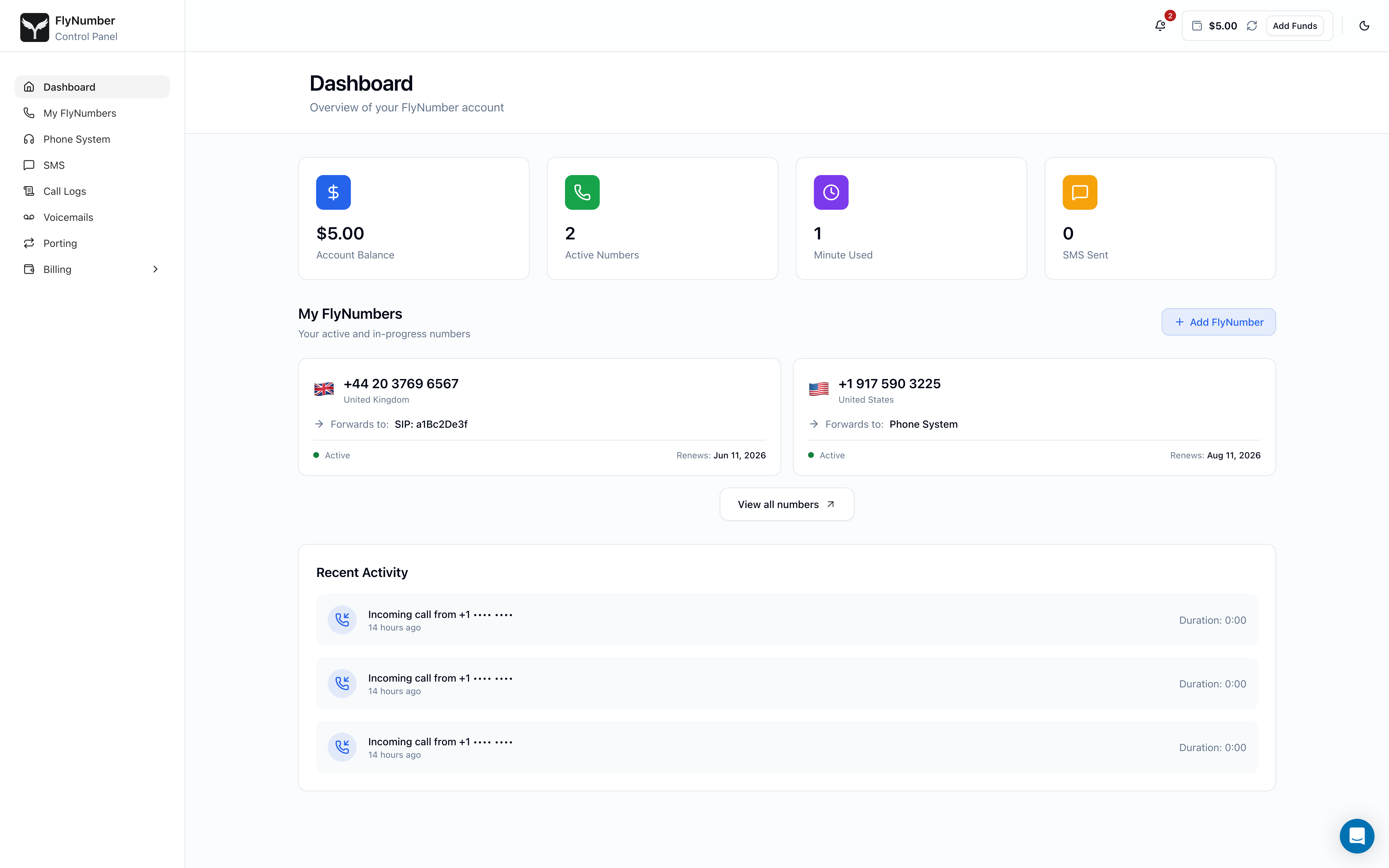
Use the sidebar to jump between My FlyNumbers, Phone System, AI Voice Agents, SMS, Call Logs, Voicemails, Porting, and Billing. The header shows your prepaid balance with a one-click Add Funds button, plus a notifications bell for account alerts (low balance, renewals, verification updates).
Call handling options
Manage phone calls a number of different ways. The first two work with every FlyNumber as-is; the cloud phone system is an optional add-on, and AI voice agents are paid per minute of use — if you're unsure which you need, see Do I need the phone system?.
-
Call Forwarding
- Forward to standard phone numbers worldwide
- Set up multiple forwarding destinations (using the phone system)
- Change routing settings as needed
-
VoIP Integration
- Compatible with major VoIP providers and systems including:
- Asterisk
- FreePBX
- 3CX
- FreeSWITCH
- Kamailio
- Connect to AI voice platforms (VAPI, ElevenLabs, Retell, and others)
- Works with any solution supporting SIP or IAX protocols
- Compatible with major VoIP providers and systems including:
-
Cloud Phone System
- Forward calls to multiple destinations (phone numbers or VoIP), sequentially or simultaneously
- Use FlyNumber as the caller ID for outgoing calls
- Add up to 30 users on a single account for shared access
Key Features
- Drag-and-drop setup for configuring call flows
- Manage each FlyNumber separately or unify them in a single call flow
- Set up call menus (e.g., "Press 1 for Sales") to guide callers
- Route calls based on time or day
- Block calls by number, area code, or anonymous ID
- View and export detailed call logs
Security and Privacy
- SIP accounts support TLS and sRTP encryption for secure connections
- Restrict connections to specific IP addresses for added control
-
AI Voice Agent (beta)
- An AI voice agent answers your FlyNumber's calls, answers questions from facts you give it, takes messages, and transfers callers to you
- Set up under AI Voice Agents in the panel, then choose AI voice agent answers in a number's call handling
- $0.10 per minute of AI conversation, billed per second; see AI Voice Agents
The cloud phone system is available for a flat monthly rate of $14.95, plus the cost of your FlyNumber. If you make outgoing calls or forward to a regular phone number there is a per-minute rate. Toll-free and "Metered" numbers also incur a per-minute rate on the inbound leg.
Getting started
Ready to add your first FlyNumber?
- From the Dashboard (or the sidebar), click + Add FlyNumber — or jump straight to panel.flynumber.com/add-number/select-country.
- Pick a country and area code, choose how you'll use the number (forwarding, VoIP, or the cloud phone system), and enter your routing details.
- Pay with a credit card, PayPal, or your prepaid balance — and optionally enable Charge saved card on renewal so future renewals charge automatically.
- Manage everything afterwards from My FlyNumbers.
Don't have an account yet? Create one and you'll land on the dashboard ready to add your first number.
Click any image in these docs to see a zoomed in version.