SMS Forwarding is Here

First, we must thank our current users for their patience while we implemented this feature. Its been live for a couple of weeks now and glad to report its working well.

Currently, it's enabled for all new orders automatically, current users will need to send us an email or open a ticket requesting we enable it on their number (s).
- Here is a list of all the numbers where you can have SMS forwarding to email enabled.
How it Works
It's simple, an SMS message comes in on your FlyNumber, we automatically forward the following to the email on file.
- The FlyNumber the SMS was sent to
- The phone number the SMS came from
- The date and time the SMS was sent
- The actual SMS message
You can change the email to send the SMS messages in My account > My FlyNumbers ( Click details on the FlyNumber )
You can find the SMS settings under "My Account > Settings > SMS Settings"
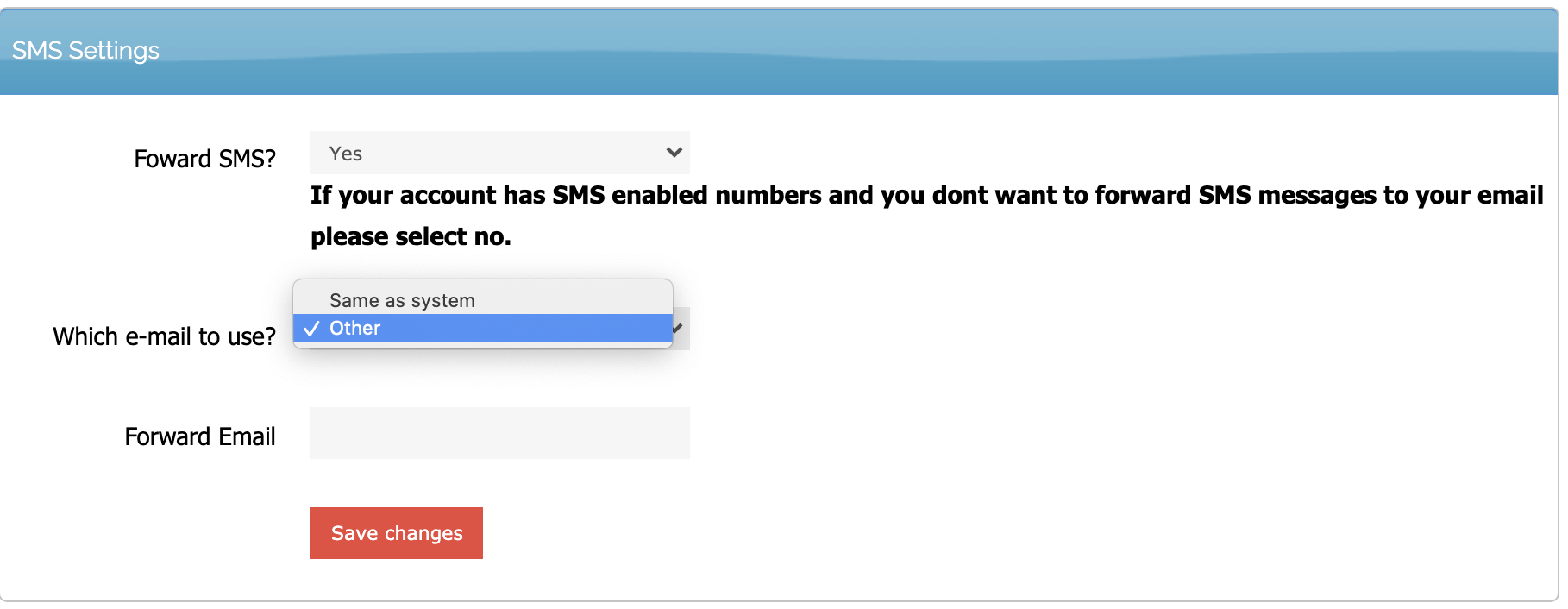
You can also disable the SMS to email feature or set to a different email for all the numbers on your account in My account > My details.
This comes with every SMS enabled number for free.
Look out for more neat features soon....