Our Biggest Update in 15 Years

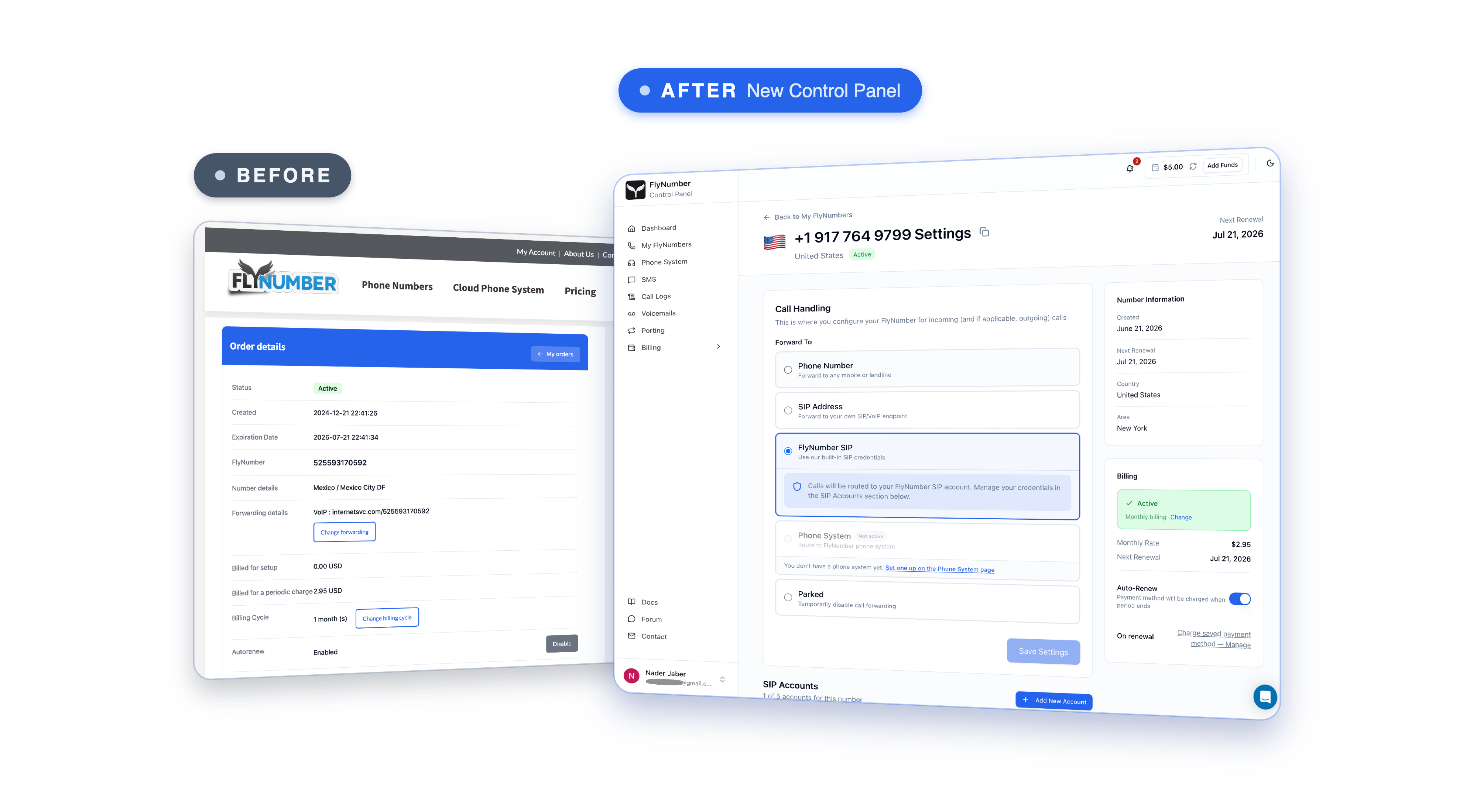
The new FlyNumber detail page on the right, the old order screen on the left. 15 years between them.
"Time flies" (no pun intended) would be an understatement here. The first thing we need to do is give a big thank you to all our long-term users — those who stuck with us through thick and thin, who were understanding when we had bugs and patient as we rolled out core features. I (as the founder) can't convey enough the appreciation I have for you. While some may look at the relationship as simply transactional, I do not. We've helped you communicate with friends, family, and customers/clients (for the business owners) throughout the years, and we appreciate your trust in that respect. We're excited to start the next chapter — the OGs here will always have a special place in our hearts.
In the last decade-plus we've shipped plenty of updates, but if we're honest, most of them were patches stacked on top of patches — new features bolted onto a panel that was first built back when "the cloud" still sounded like a buzzword. Today is different. This is the single biggest update we've ever released, and it touches just about everything: how you choose a number, how you make and take calls, how you text, and how you see what you're actually paying for.
We've been quietly building (and re-building) for a long time, and it's finally ready to show. Let's walk you through what's new.
A brand-new panel
The whole thing has been rebuilt from the ground up. Your numbers, the phone system, SMS, call logs, voicemails, porting, and billing now live together in one clean panel instead of being scattered across half a dozen aging pages.
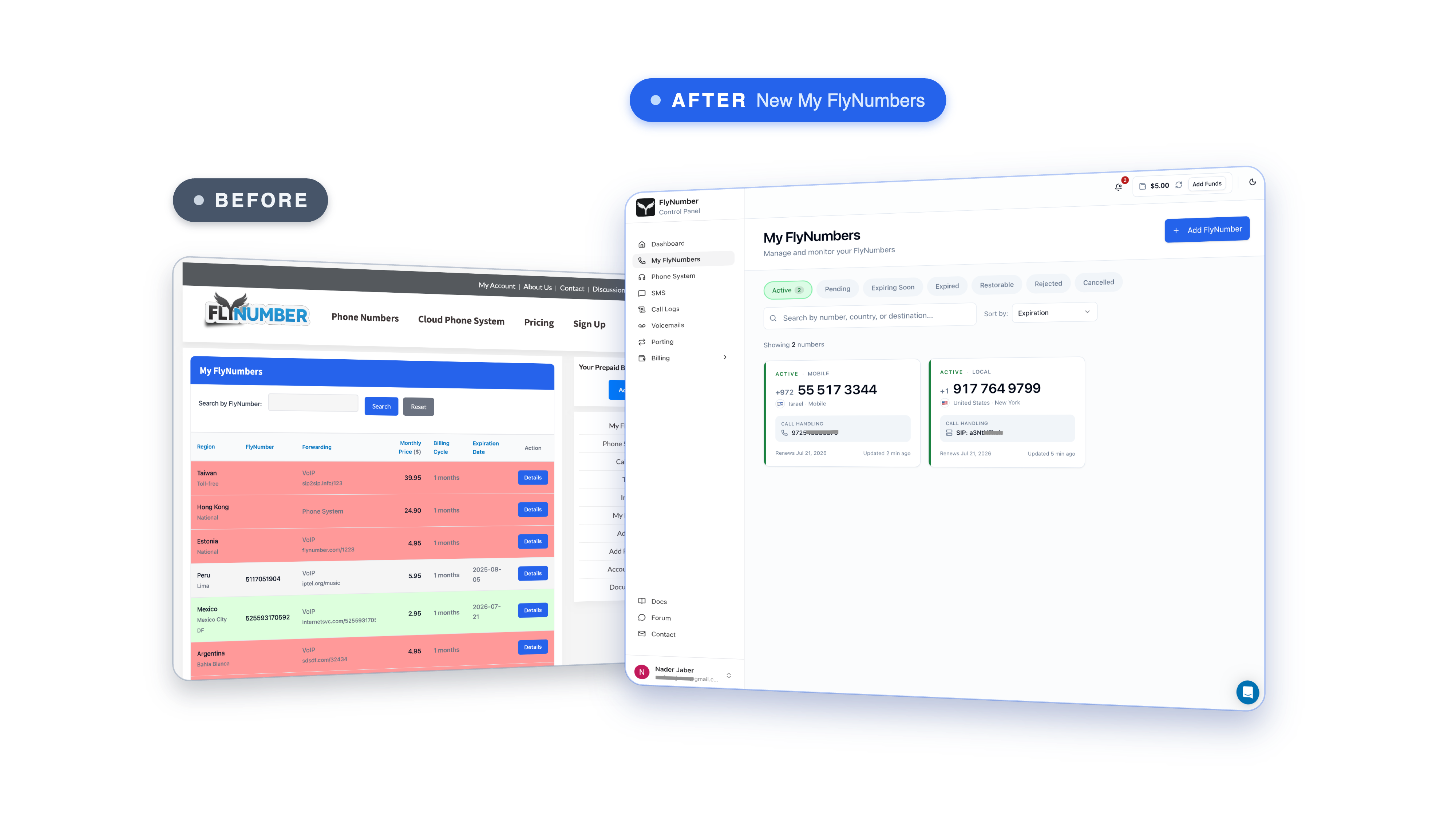
Here's the My FlyNumbers screen — old panel on the left, new one on the right. Everything you manage finally has a real home, and each of your numbers shows its status (active, pending, expiring soon, and so on) at a glance.
Pick the number you want
This was probably our most requested feature ever, and it makes sense. For years, getting a specific number meant emailing us and going back and forth until we found the right one. Now you can browse and choose the exact number you want yourself, right when you sign up or add a new one.
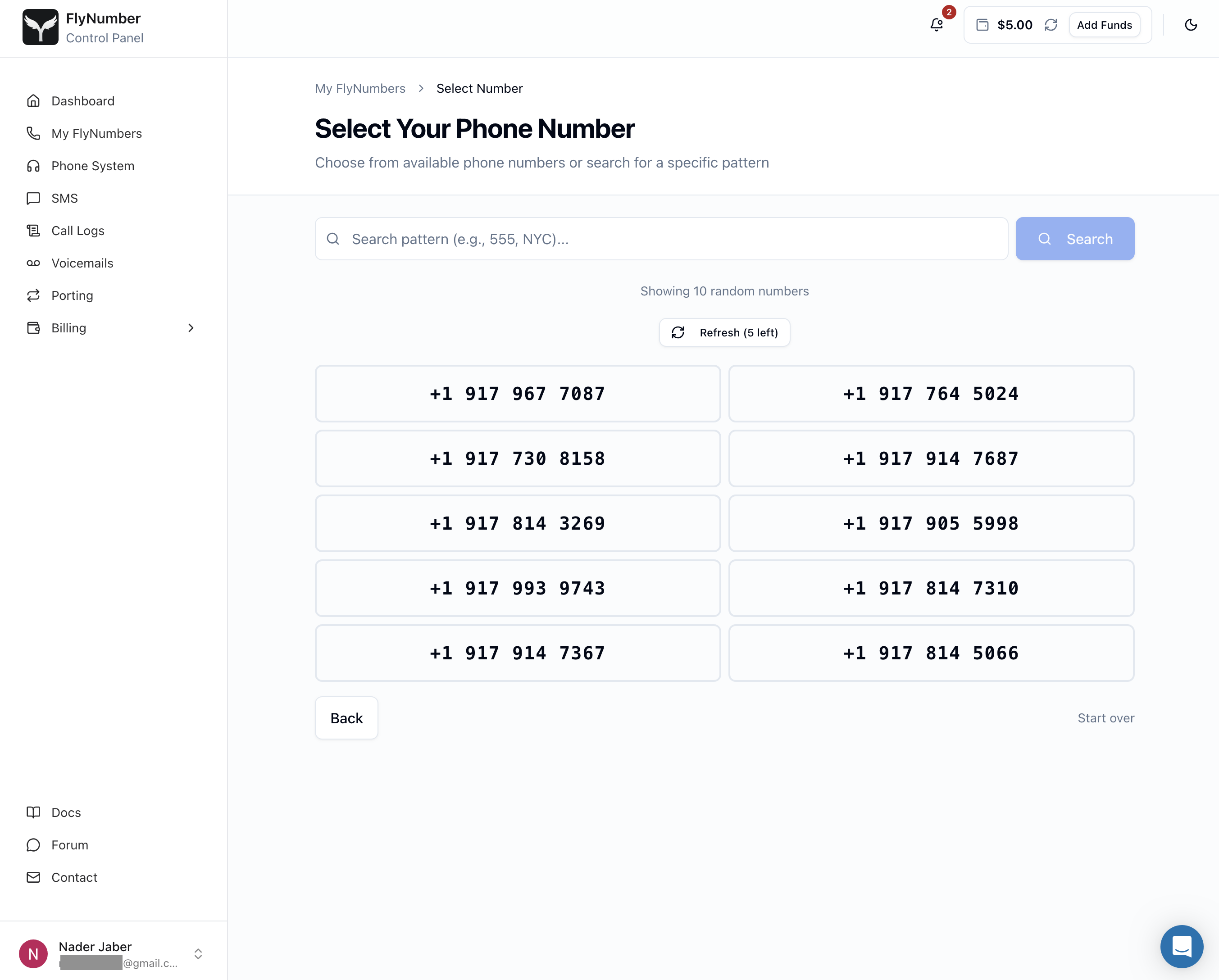
Search by area code or a pattern you like, and pick from whatever's available. If you care which digits represent you — and a lot of people do — this one's for you.
Calls in and out, on your own FlyNumber SIP
Here's the big one. Every FlyNumber now comes with its own built-in SIP credentials, so you can make and receive calls through FlyNumber directly — no third-party VoIP provider sitting in the middle.
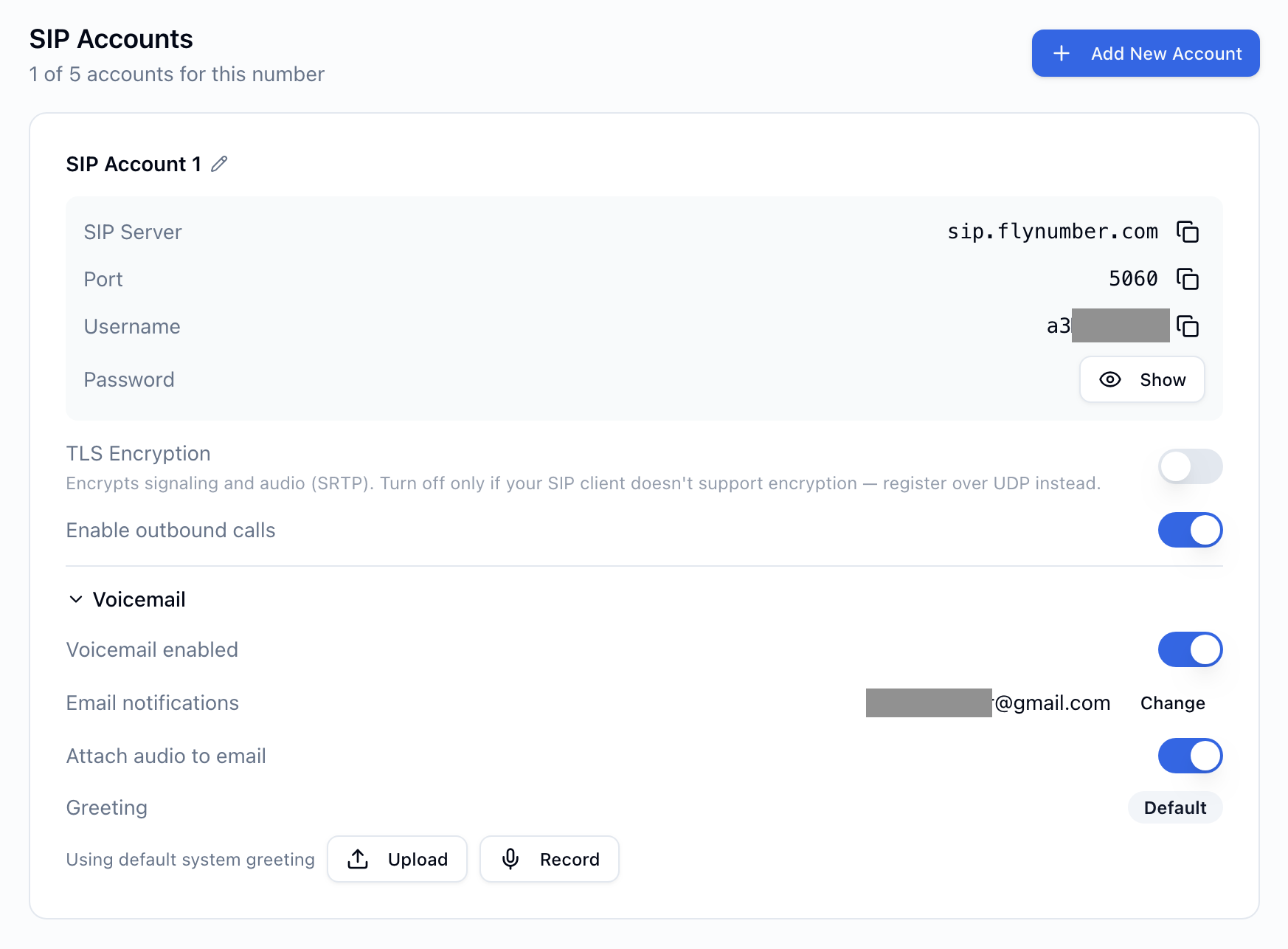
That detail page up top is where it all happens. Open any number and you'll see exactly how its calls are handled — send incoming calls to a regular phone number, a SIP address, your FlyNumber SIP account, our cloud phone system, or just park the number for later. Outgoing calls run off those same FlyNumber SIP credentials, so the number you're calling from is genuinely yours.
Remember when setting up a softphone meant pulling SIP credentials from one provider, a number from another, and hoping the two would register together? We do, and it wasn't much fun. Now it's the same account for both. Much simpler.
And for our longtime users — don't worry, everything you've come to rely on is still here. You can still point calls at your own SIP URI, forward to a regular phone, or build a full call flow in the phone system. We just made the common path a whole lot easier.
Call logs that actually make sense
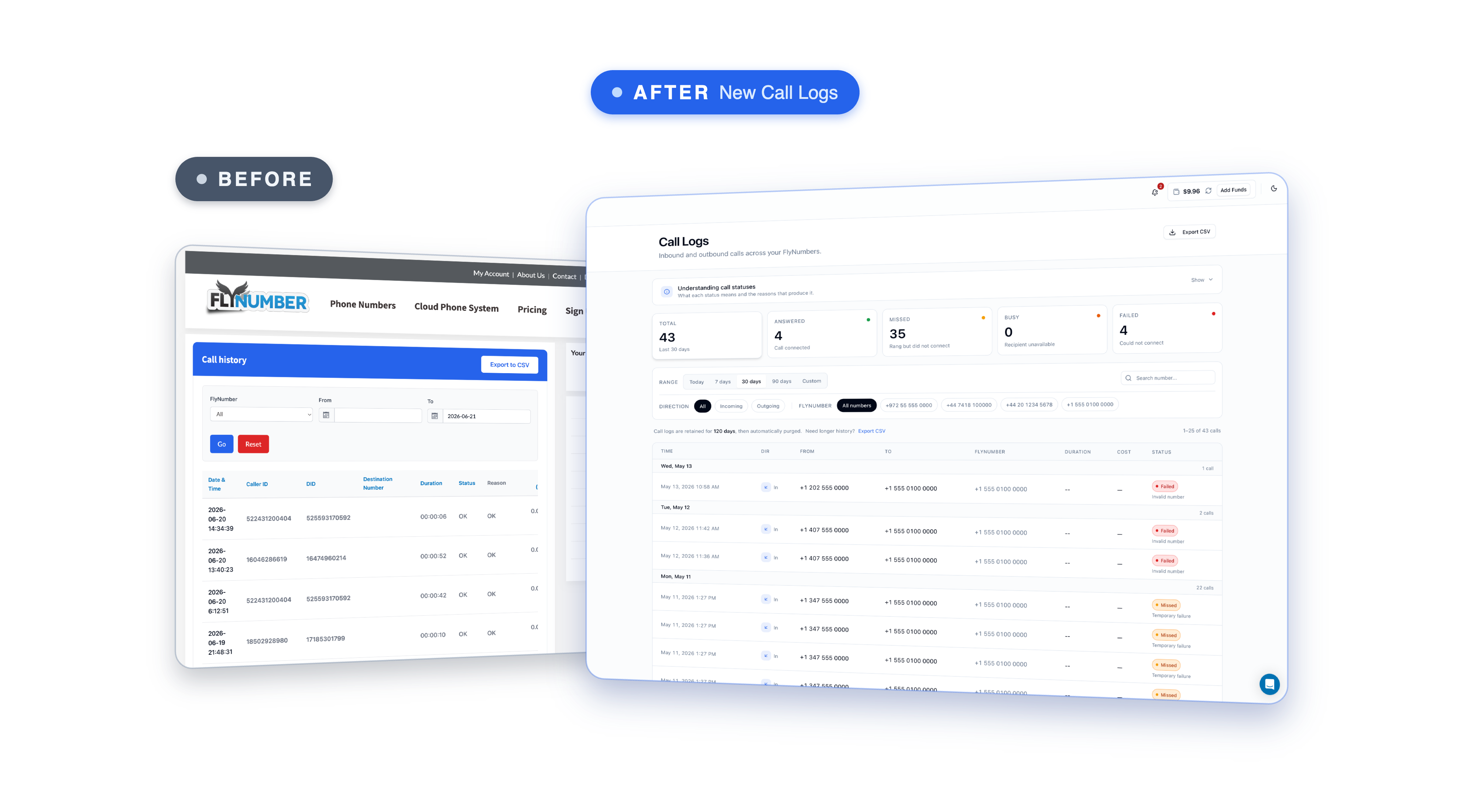
Call logs got the same treatment. Instead of a flat table, you get a neat little summary up top — total calls, answered, failed — and then every call below it with its direction, duration, cost, and status. Need it in a spreadsheet? Export the whole thing to CSV.
It's a small thing, but if you've ever tried to reconcile a month of calls from the old view, you'll appreciate it.
Texting, right inside the panel
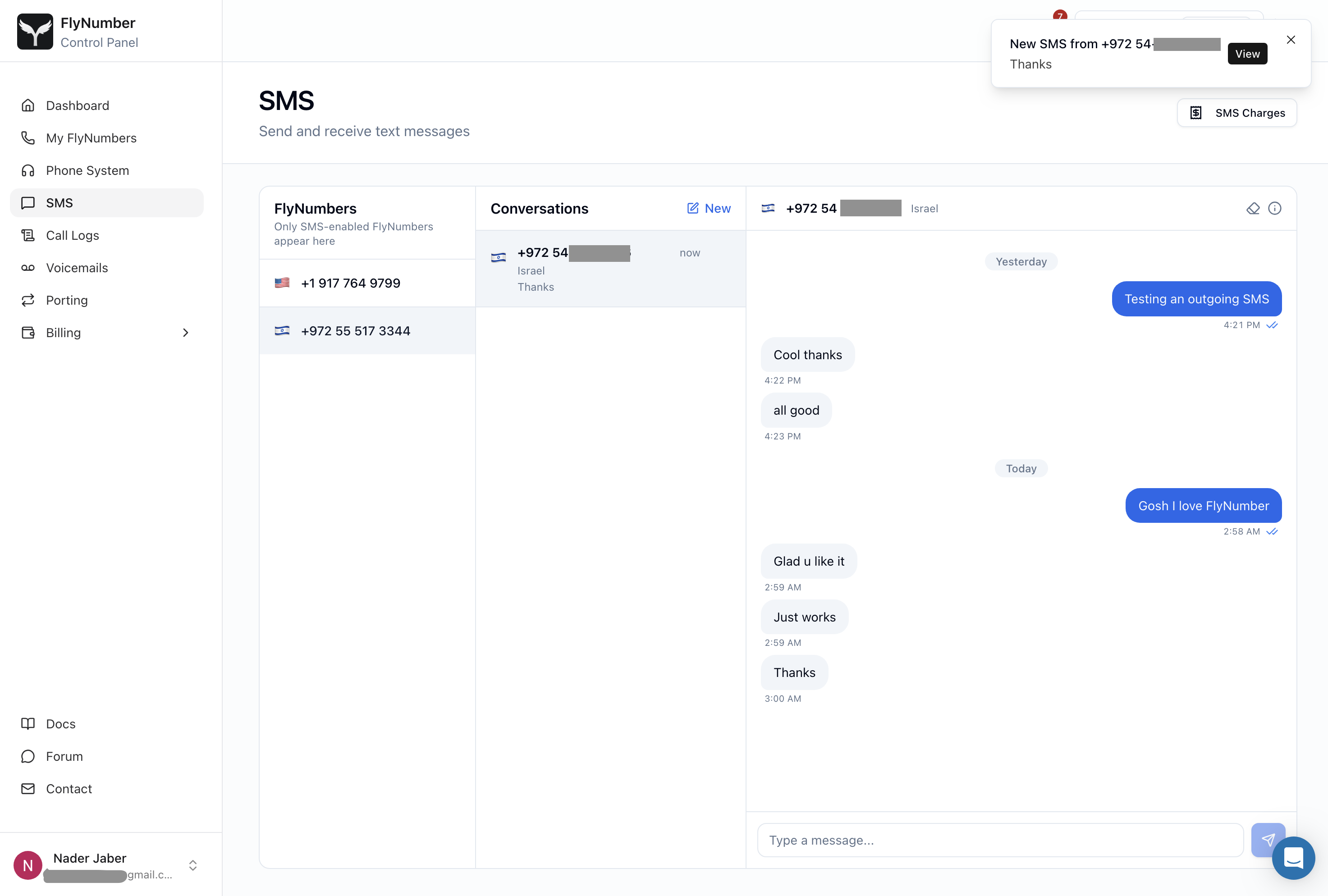
You can now send and receive text messages from your FlyNumber right inside the panel, in a proper chat view. Pick an SMS-enabled number, open a conversation, and text like you would anywhere else.
Outgoing SMS is the part people have been asking about for years, and it's finally here.
Outgoing SMS is for personal, person-to-person messaging only — friends, family, the everyday stuff. It is not for business messaging, marketing, bulk or automated sending, alerts, or verification codes. We're strict about this, both to keep the feature healthy for everyone and because that's simply not what it's built for.
Billing you can actually read
We revamped the entire billing side — payments, renewals, restoring an expired number, topping up your balance — to make it all easier and a lot more intuitive.
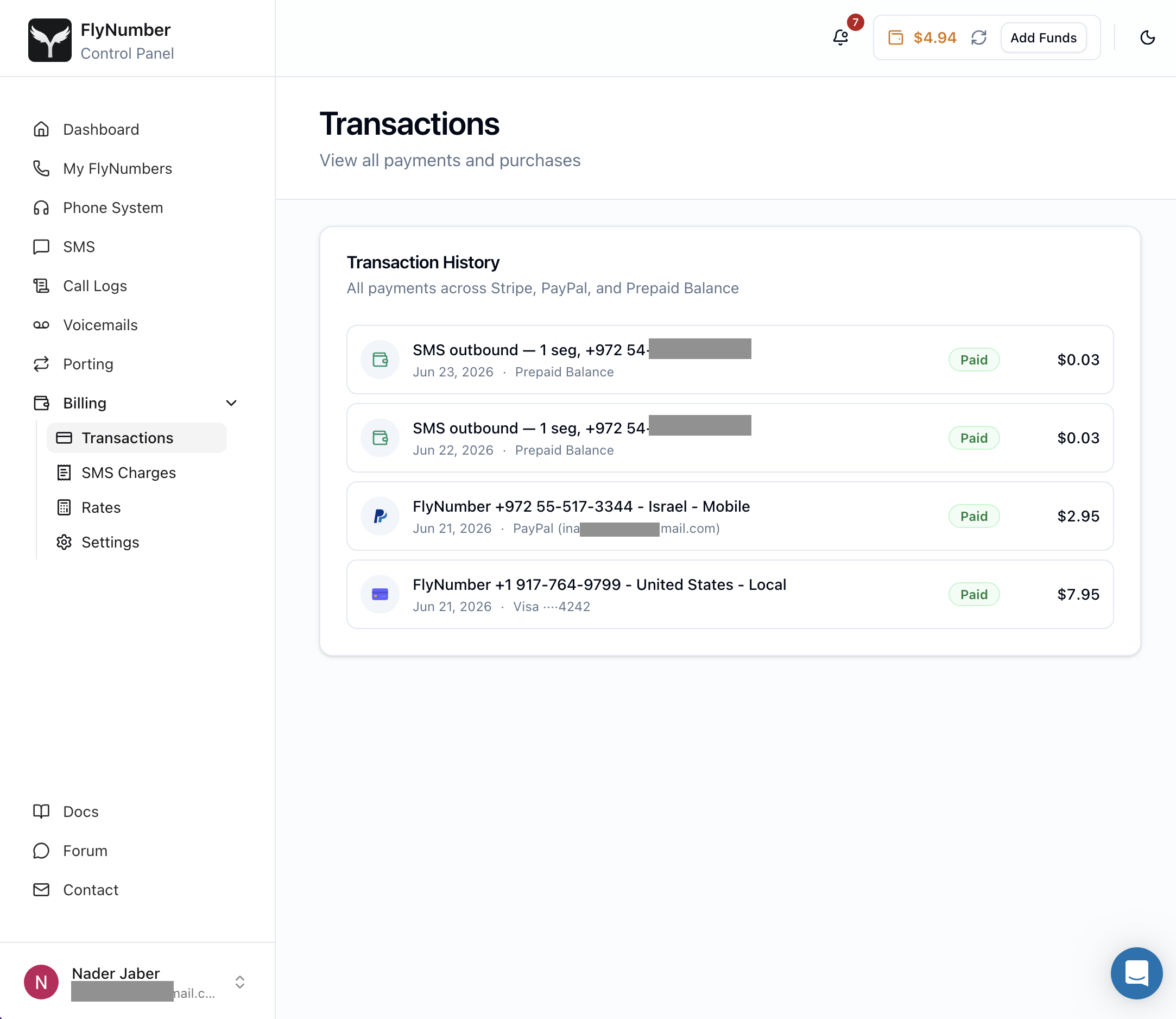
Every number shows its own renewal date and price, you can flip auto-renew on or off per number, and update your saved payment method in a couple of clicks. The new Transactions screen pulls every payment and purchase into one clean view — across Stripe, PayPal, and your prepaid balance — and you get a full invoice every time a payment goes through. No surprises, no digging around.
What this means for current users
If you're already with us: nothing breaks today. The legacy system stays live, and your current setup keeps working exactly as it does now — you'll find a "Sign in to legacy account" button right on the new sign-in page, so your existing setup is always one click away. For the moment, the new panel is where all new signups go.
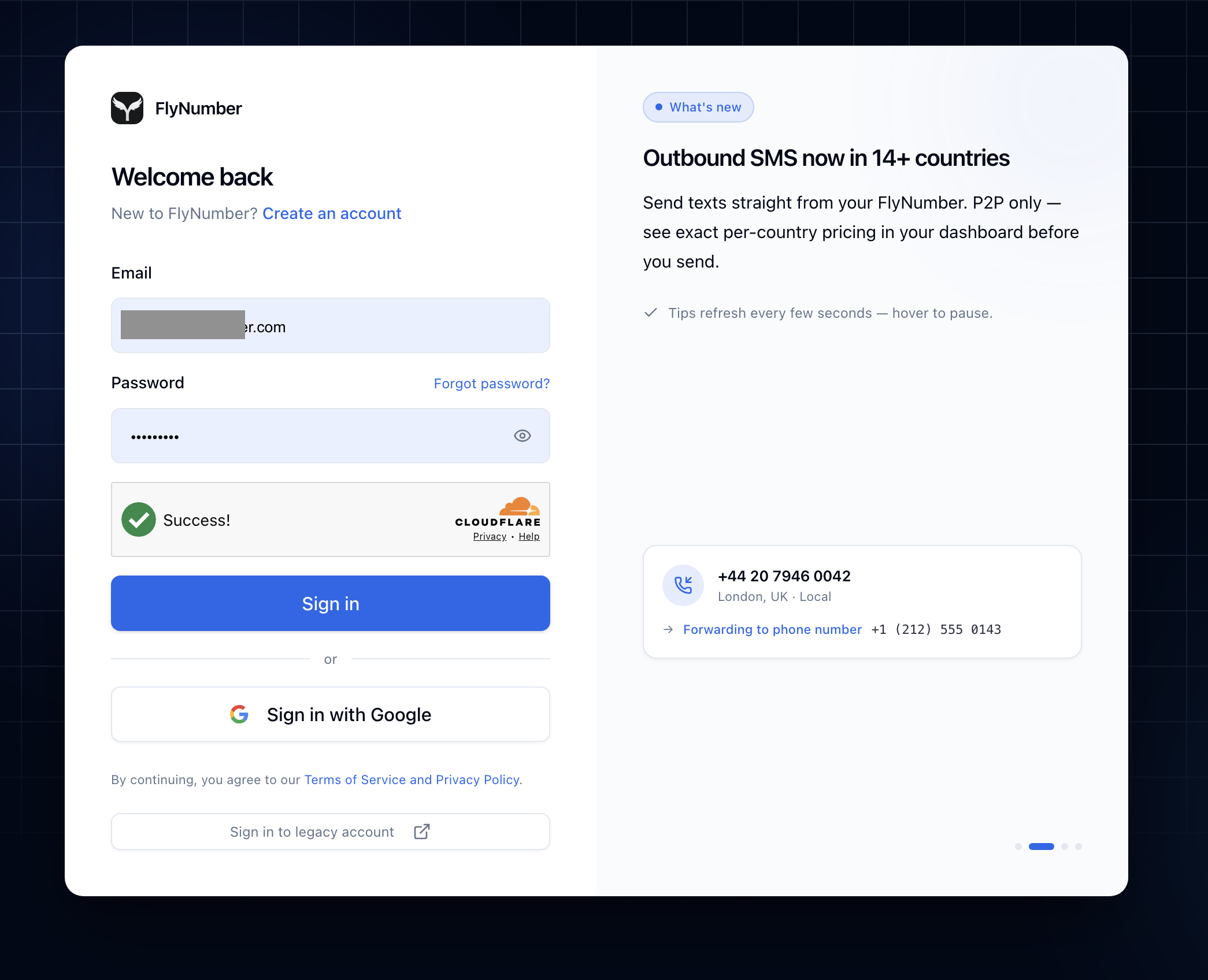
We're putting together a proper migration guide so existing users can move over smoothly when the time is right — we'll share that soon. First, though, we have to thank you for your patience. This one took a while, and a lot of that time went into making sure we didn't pull the rug out from under the people who've been with us for years.
What's next
We put a lot into getting this right, but with a release this big, the odd rough edge can still slip through. Spot something, or have an idea for making it better? Tell us — that's the kind of feedback that shapes what comes next.
There's already more neat stuff in the works. For now though, go pick a number, make a call, send a text, and tell us what you think...