Call Flows
Call Flows are separate workspaces within your phone system. Think of them like separate folders—each one can have its own phone numbers, users, and call routing setup, completely independent from the others.
Do I Need Multiple Call Flows?
Most users only need one Call Flow (the default one). You only need additional Call Flows if:
| Scenario | One Call Flow | Multiple Call Flows |
|---|---|---|
| Single business, single location | Yes | No |
| One team handling all calls | Yes | No |
| Multiple departments with completely separate phone systems | No | Yes |
| Running separate businesses from one account | No | Yes |
| Different offices that should never share numbers or users | No | Yes |
If you're just setting up call routing (like "Press 1 for Sales, 2 for Support"), you don't need separate Call Flows. Just use modules like Voice Menu, Ring Group, and Time Router within your default Call Flow.
Multiple Call Flows are for organizational separation, not call routing logic.
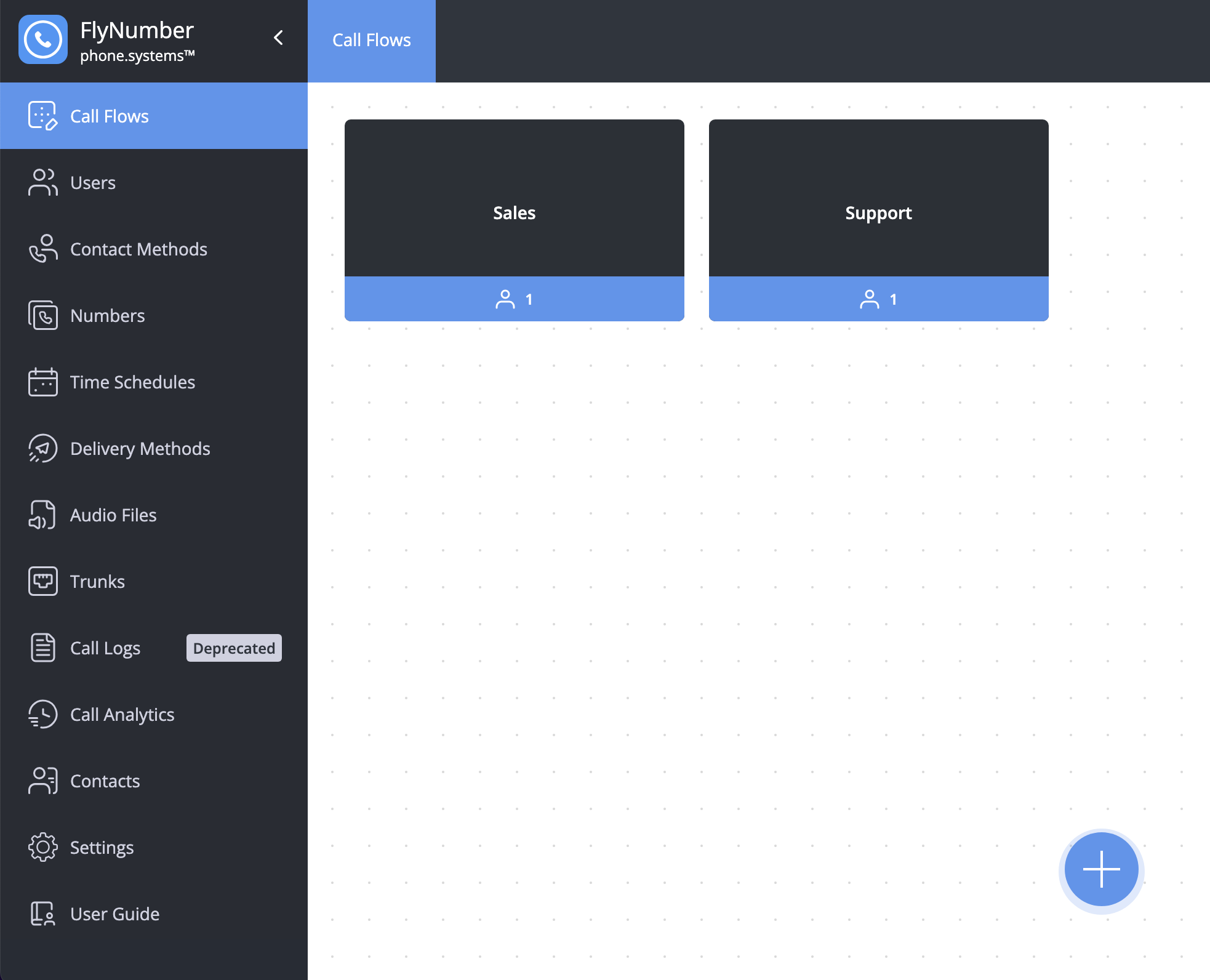
Call Flows vs Workspaces
These terms can be confusing. Here's the difference:
| Term | What It Is | Example |
|---|---|---|
| Call Flow | A separate, independent phone system instance | "Sales Division" and "Support Division" as completely separate systems |
| Workspace Tab | A tab within a Call Flow to organize your modules visually | Tabs labeled "Main Line", "After Hours", "Holidays" within the same Call Flow |
Workspace tabs help you organize a complex setup visually—like having multiple browser tabs open. All tabs share the same phone numbers and users.
Call Flows are truly separate—different phone numbers, different users, different everything.
Creating Call Flows
To create a new Call Flow:
- Click the + button in the bottom right corner
- Configure the following settings:
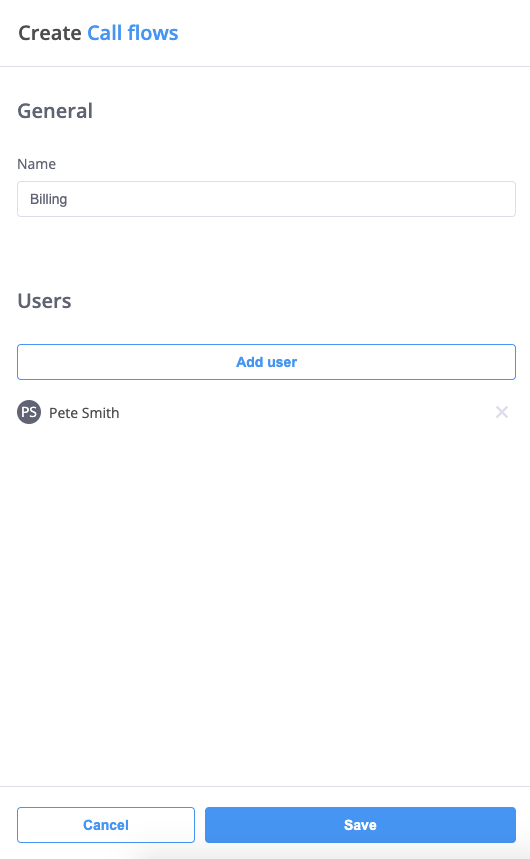
Basic Settings
- Name: Give your Call Flow a descriptive name that reflects its purpose (e.g., "Sales Team" or "Customer Support")
- Users (Optional): Add team members who will be part of this Call Flow
- Adding users is not required to create a call flow
- Users can be added or removed later
- Helps with organization and filtering
Users assigned to call flows can be filtered in the Users tab:

This makes it easy to:
- View users by department or function
- Manage team members within specific call flows
- Organize users based on their roles
Managing Call Flows
Switching Between Call Flows
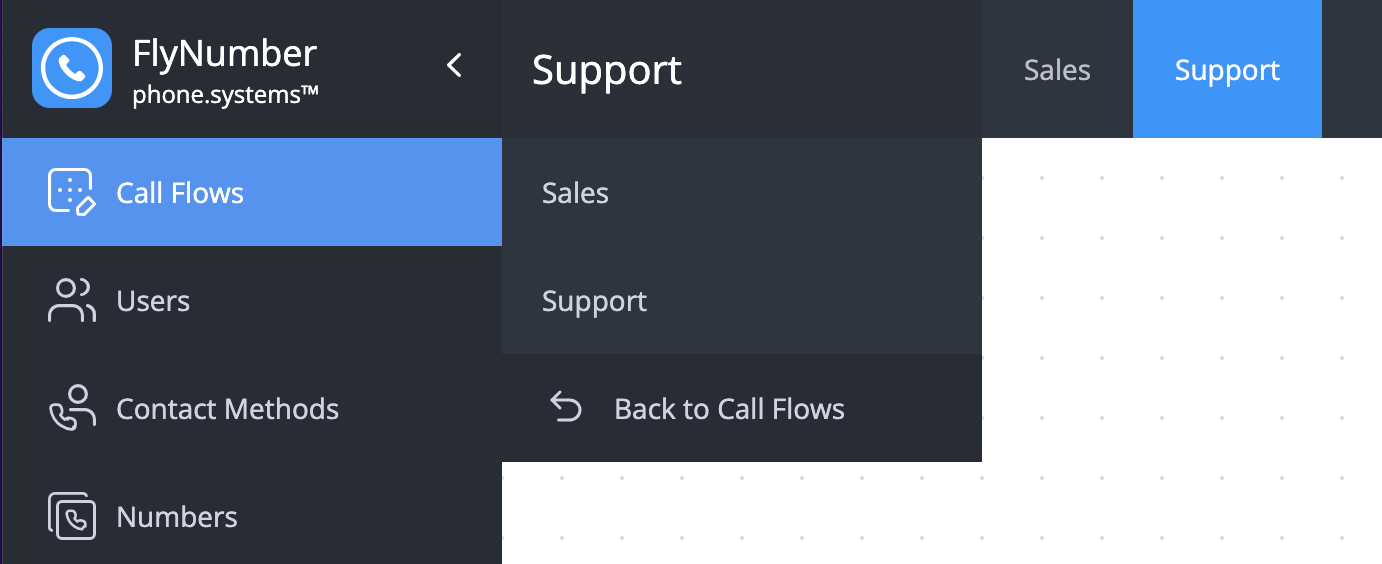
You can quickly switch between Call Flows by:
- Clicking the Call Flow name at the top of the workspace
- Selecting the desired Call Flow from the dropdown menu
Editing Call Flows
To modify an existing Call Flow:
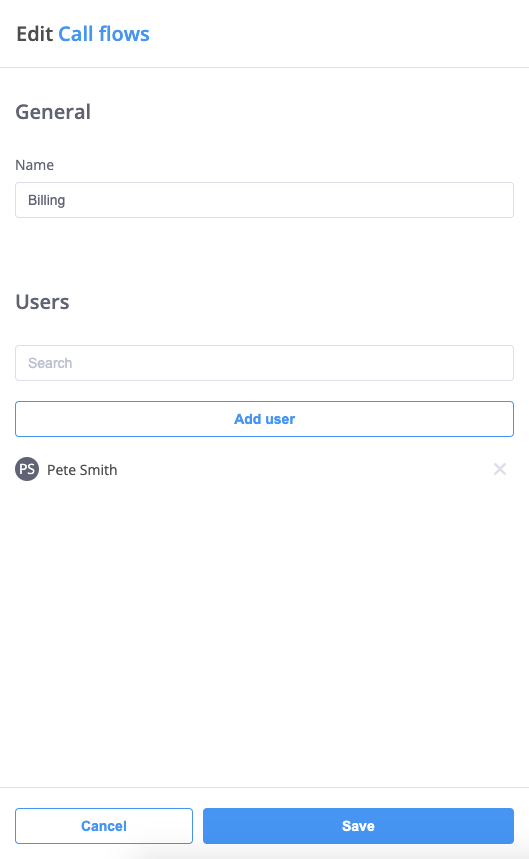
- Click the Actions button (⋮)
- Select "Edit"
- Modify the name or user list as needed
- Click Save to apply changes
Deleting Call Flows
To remove a Call Flow:
- Click the Actions button (⋮)
- Select "Delete"
- Confirm the deletion
Deleting a Call Flow:
- Is permanent and cannot be undone
- Removes all associated modules and configurations
- Affects all users assigned to that Call Flow Make sure to back up any important configurations before deleting a Call Flow.
Best Practices
-
Naming Conventions
- Use clear, descriptive names
- Include department or function
- Consider adding location for multi-site setups
- Keep names consistent across your system
-
User Management
- Add all relevant team members
- Review user access regularly
- Remove inactive users promptly
- Consider role-based access needs
-
Organization Tips
- Group related functions together
- Create separate flows for distinct operations
- Document flow purposes and configurations
- Maintain a logical structure
-
Workflow Efficiency
- Start with simple flows
- Build complexity gradually
- Test configurations thoroughly
- Monitor call patterns
Before creating Call Flows, consider:
- Your organizational structure
- Department relationships
- Call routing needs
- User access requirements
- Future scalability
Advanced Tips
| Feature | Description | Best For |
|---|---|---|
| Multiple Flows | Separate workspaces for different functions | Complex organizations |
| User Groups | Team-based access control | Department management |
| Quick Switching | Easy navigation between flows | Multi-department operations |
| Action Menu | Quick access to edit and delete options | Flow maintenance |
Remember that Call Flows are the foundation of your phone system organization. Taking time to plan and structure them properly will make your system easier to manage and scale.