App Overview
The app is part of the phone system ($14.95/mo add-on). If you just want a softphone for one number, FlyNumber SIP works with Zoiper, Linphone, Groundwire, and other SIP apps at no extra cost — see Do I need the phone system?.
The FlyNumber phone system app is the quickest way to start making and receiving calls. This free app turns your device into a powerful business phone system with features like multiple number support, push notifications, and harmonious integration with your FlyNumber account.
Quick Start
Getting started is simple:
- Open the phone system panel
- Add a user with app configuration enabled
- Enter your email
- Receive invite with QR code
- Download and set up the app
That's it! You're ready to make and receive calls using your FlyNumber.
Download
Key Features
- Multiple Devices: Use the app on your phone, tablet, and computer at the same time — contacts and call history stay in sync across them. How many app installs a user can keep active is set in the phone system panel under Settings → App Activation Settings
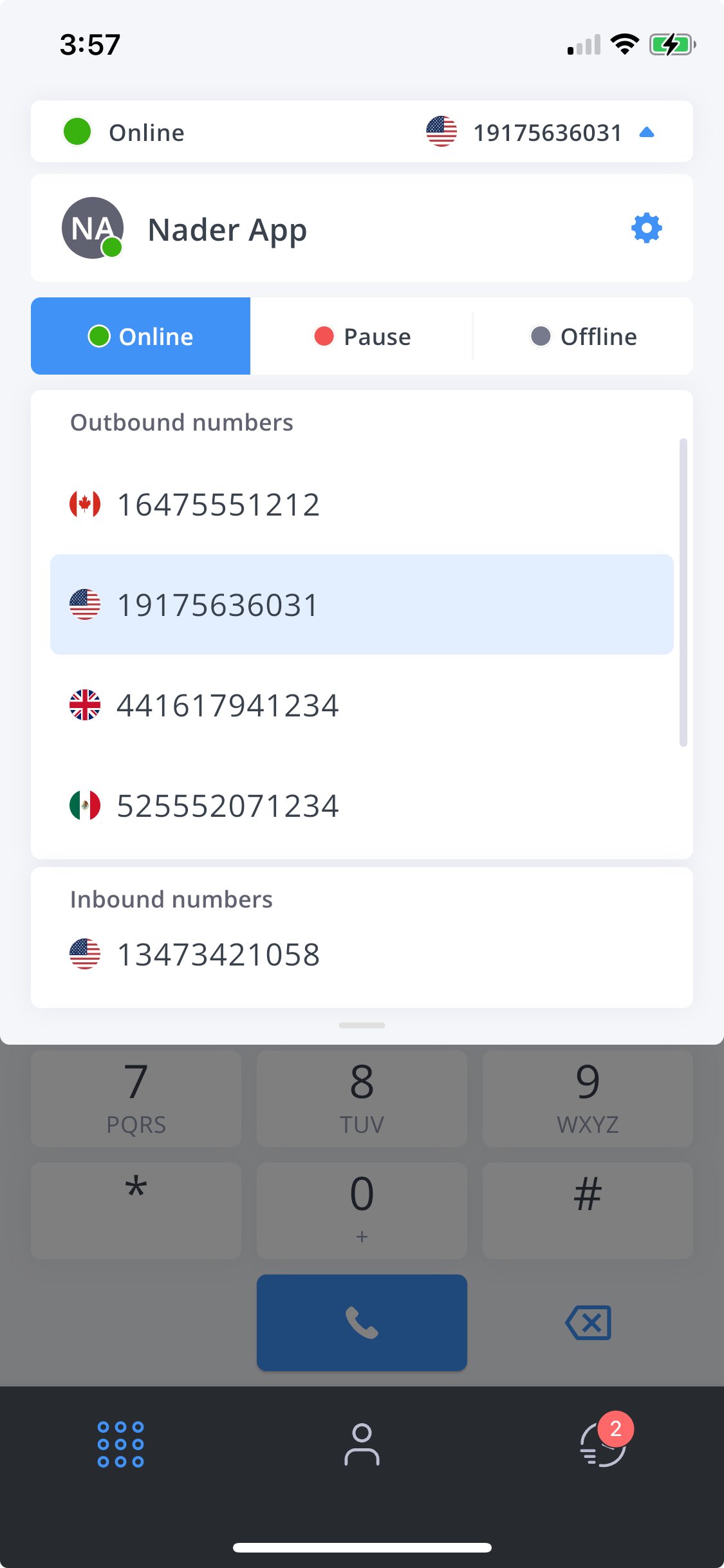
- Multiple Number Support: Choose any of your FlyNumbers for outgoing calls
- Push Notifications: Receive calls even when the app is closed
- Flexible Call Routing: Direct incoming calls to the app or create custom call flows
- Blind Transfer: Hand a live call to a team member's extension or phone number without speaking to them first
- Simple Interface: Intuitive drag-to-call design
- Cross-Platform: Available for iOS, Android, Windows, and Mac
- Availability Status: Switch between Available and Unavailable from the app's top bar when you need a break from incoming calls
- Lost Calls Tracking: Missed and failed calls collect in a Lost tab until you call back or mark them resolved
- Secure: SIP credentials are provisioned by the phone system panel and never shown in the app
Call Management
Incoming Calls
- Receive calls directly to the app
- Get push notifications for incoming calls even when the app is closed
- Set yourself to Unavailable from the top bar when you don't want the app to ring
- Optional integration with Phone Number modules for advanced routing
Outgoing Calls
- Select from any of your FlyNumbers using the top-bar dropdown — the active caller ID shows in the top-right corner
- Make calls from your business numbers while on the go
- Maintain professional identity with consistent caller ID
Integration with Phone System
The app works directly with your FlyNumber phone system:
- Automatic configuration through QR code
- Secure credential management
- Easy setup through app configuration
- Optional integration with Ring Groups for advanced call flows
- Supports Call Recording
By default, your configured incoming number will ring directly to the app. For more advanced routing options, you can use Phone Number modules and create custom call flows. You'll need to clear the incoming "DID number" from the App configuration to use it in the phone number module.
Security and Management
The app is designed with security in mind:
- WebSocket Secure (WSS) protocol for encrypted communications
- Establishes secure real-time connections
- Protects all voice and signaling data
- Uses TLS encryption for all app traffic
- Secure SIP configuration
- Device management in the phone system panel (Users → App Devices)
- Remote configuration capabilities
- Hidden SIP passwords for enhanced security
- Cross-platform management tools
The app uses WebSocket Secure (WSS) protocol which:
- Provides a secure web-based communication channel
- Enables real-time encrypted data transfer
- Ensures all communications are protected with TLS encryption
- Perfect for web and mobile applications requiring secure real-time features
Keep in mind there is a per-minute rate to make outgoing calls, the app itself is free to download.