Making & Receiving Calls
This page is for the phone system app ($14.95/mo add-on). You don't need the phone system to call out — any FlyNumber can make outgoing calls through FlyNumber SIP with a softphone. See Do I need the phone system?.
The phone system app makes it easy to handle all your business calls. Once you've set up your app configuration, you can:
- Make outbound calls using any of your assigned FlyNumbers
- Receive incoming calls from your configured numbers
- Use features like call recording, transfers, and hold
- Access your contacts and call history
You'll never miss calls - the app uses push notifications to wake up and ring even when it's completely closed.
Making Calls (Outbound)
To make outbound calls, you need to have a positive balance in your account:
- Maintain at least $1.00 in your account (should work with less but recommended as a minimum)
- Check your prepaid balance on the FlyNumber dashboard or in the header chip
- See How billing works for top-up and Auto-Refill options
When making calls, dial in full international format:
- Include country code and full number — a leading
+or00also works; all three styles connect identically - Don't dial in national format: drop any leading trunk
0and add the country code - Examples:
- USA/Canada: 19176282411 (country code 1)
- UK: 442036031157 (country code 44)
Choose Your Caller ID
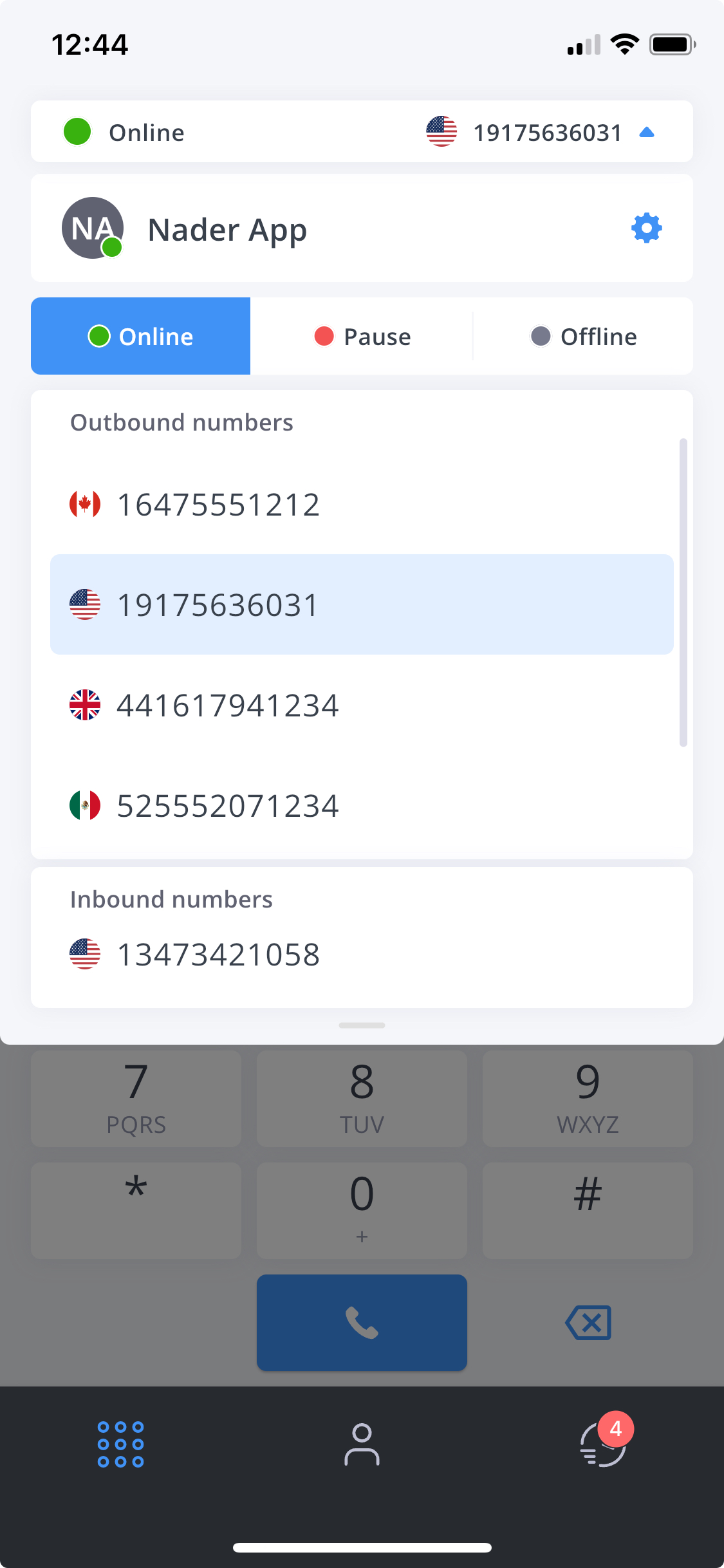
When making calls, use the dropdown to choose which of your FlyNumbers to display. These are the numbers you selected during app configuration.
Receiving Calls
When you first set up the app, you choose a main phone number for incoming calls. If you have just one FlyNumber, this simple setup works great - calls to that number ring directly to your app.
Using Multiple Numbers
Want calls from multiple FlyNumbers to reach your app? Here's how it works:
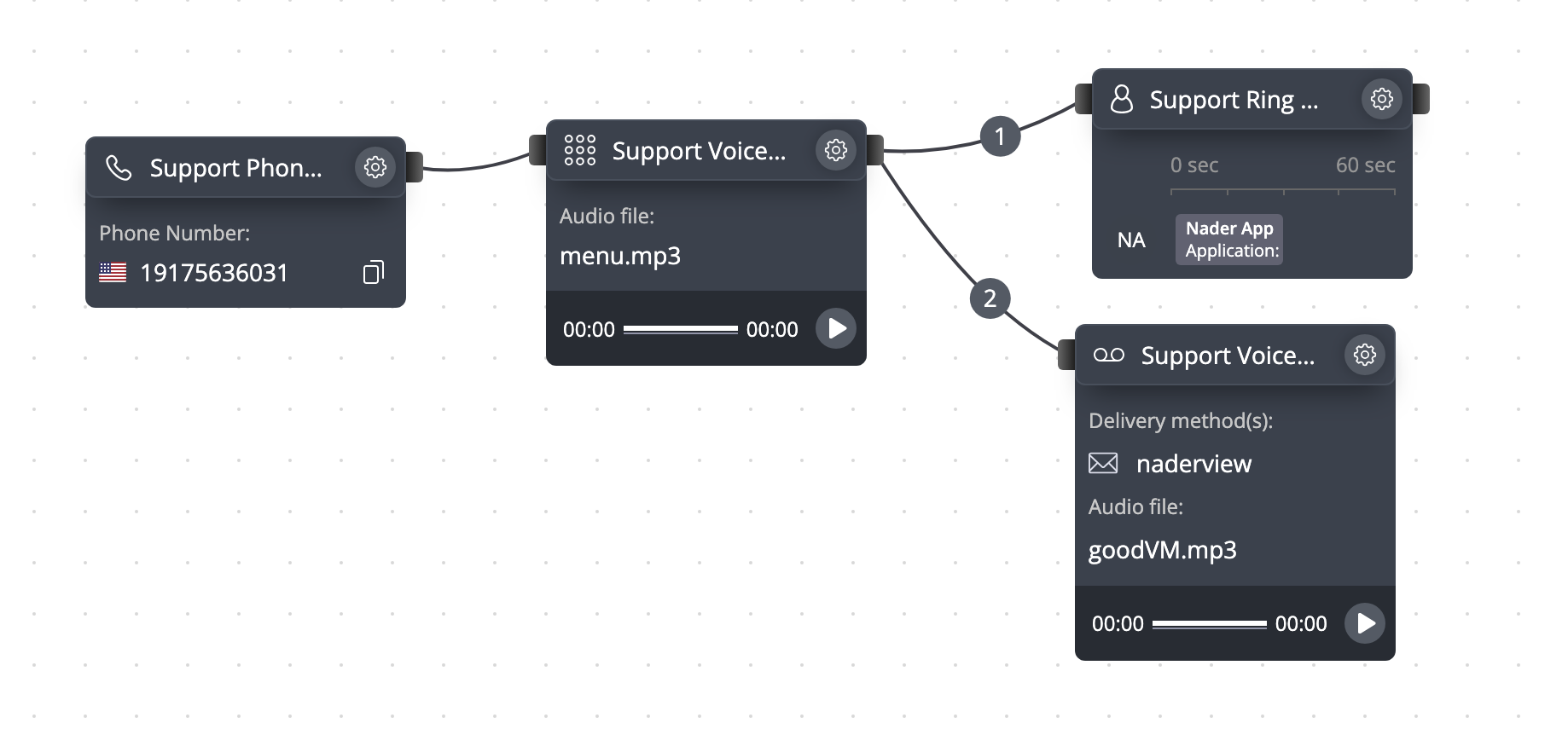
In this example:
- The 1347 number (main app number) rings directly to the app, this is set in the ring group module in the top right of the screenshot
- The 1917 number goes through a menu first, then to the app when callers press 1
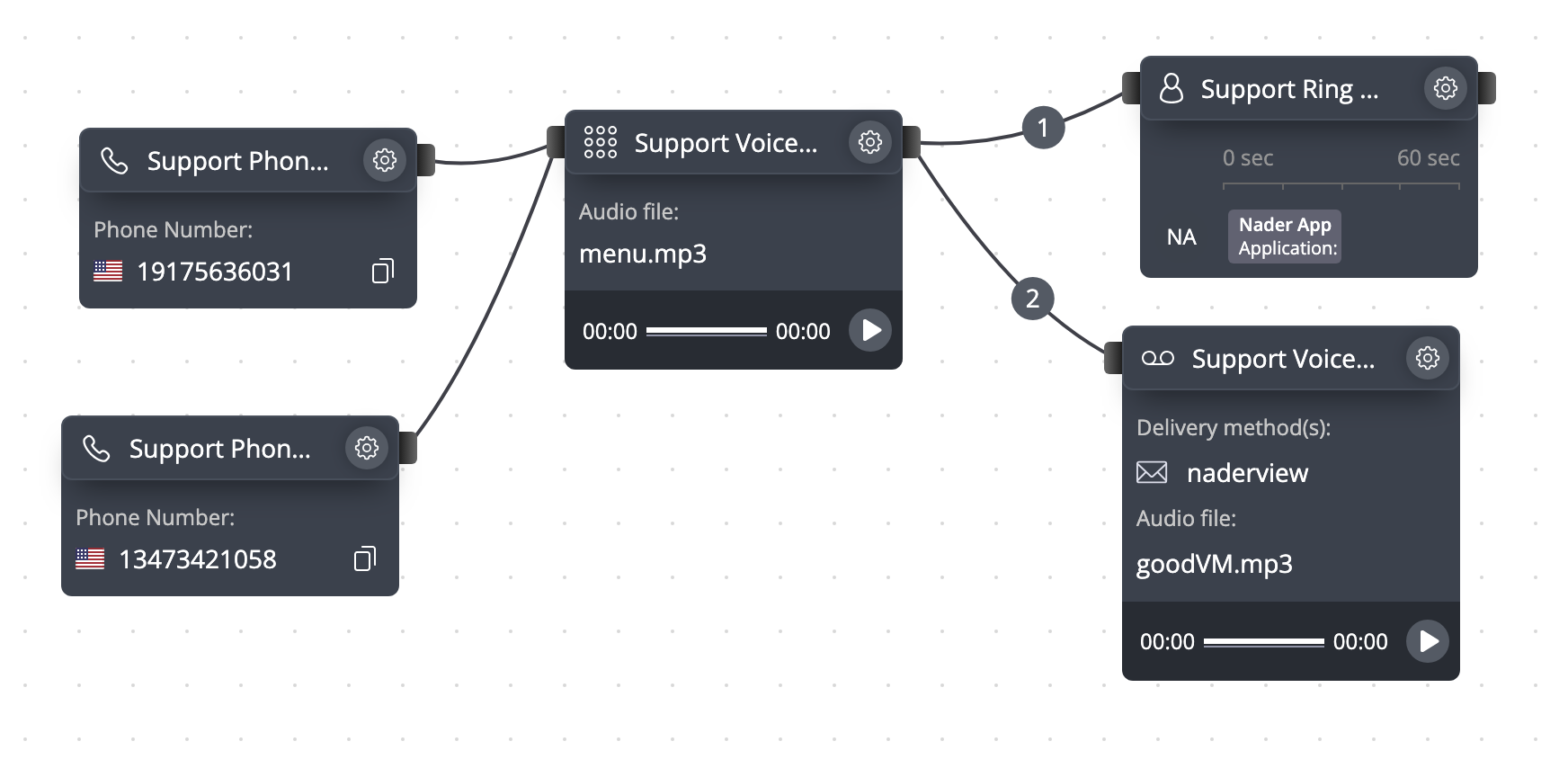
Want to change how your main number works? You can:
- Edit the app configuration settings
- Clear the "Phone Number" field (shown as "DID Number" - they mean the same thing)
- Add that number as a Phone Number module instead
- Now it can go through menus or other call flows just like your other numbers
Your call flow will now look like the below
The Dial Pad
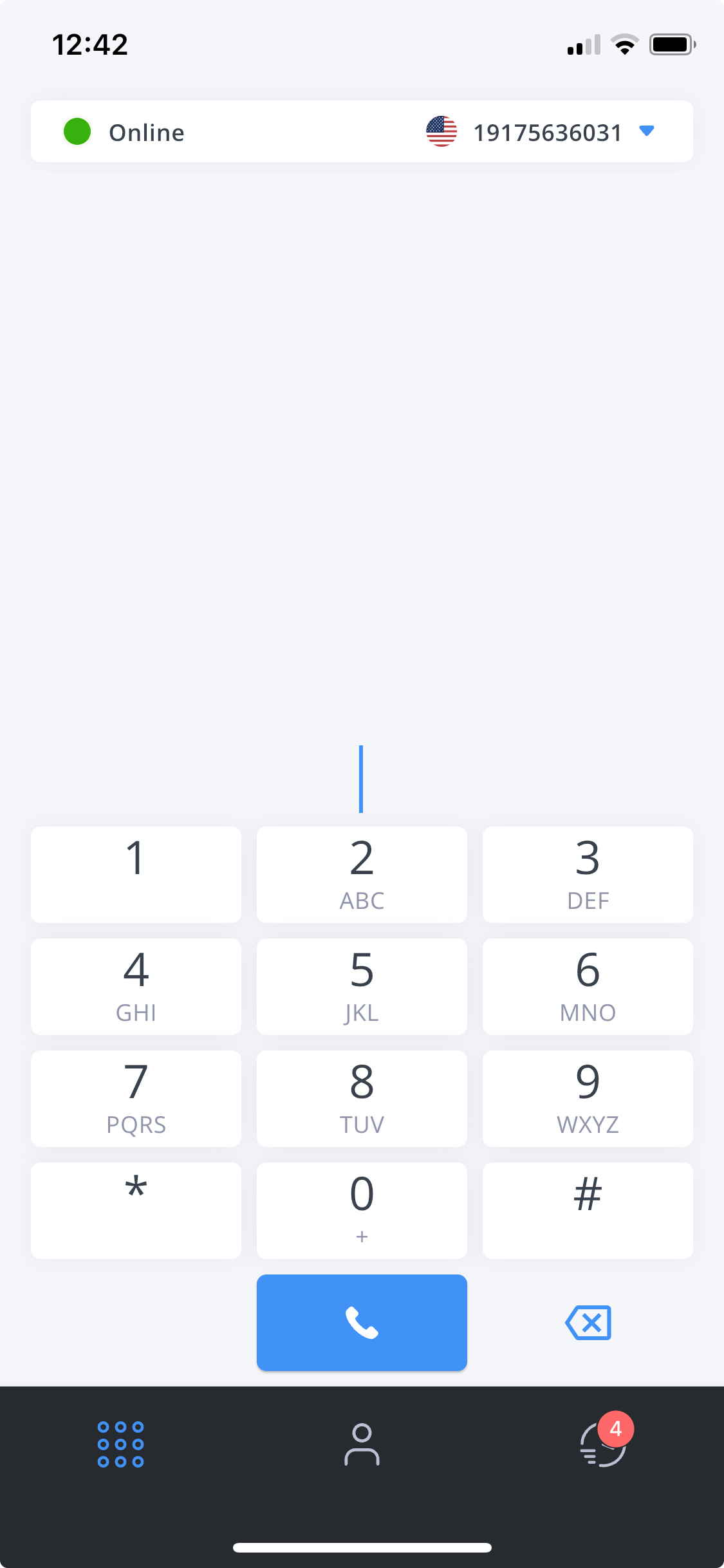
The main screen includes:
- Full numeric keypad
- Your online status
- Current outbound number
- Recent calls
- Contact access
Finding Contacts
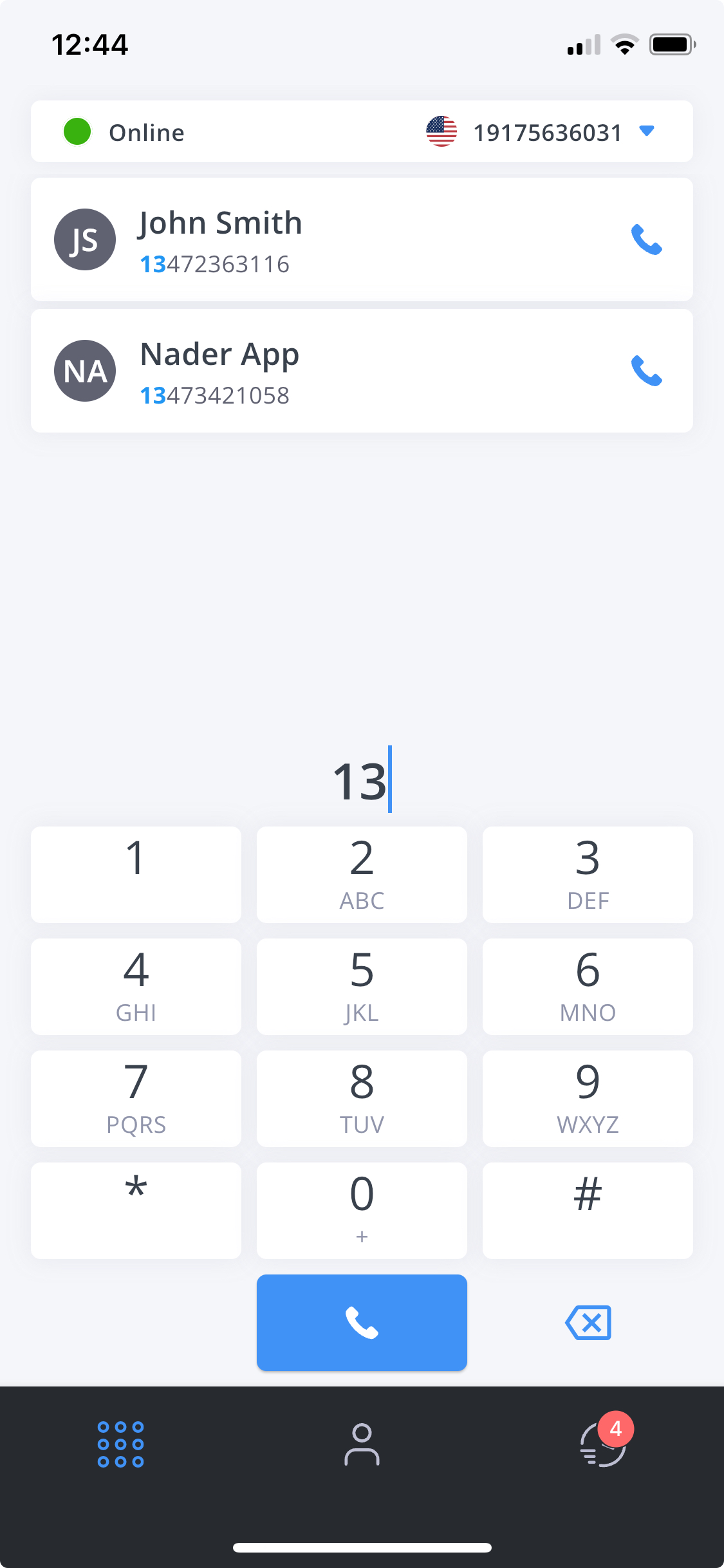
As you start typing a number:
- Your contacts appear automatically
- Click any contact to call them
- Add contacts through the app or phone system panel
- Import contacts from other sources
During Calls
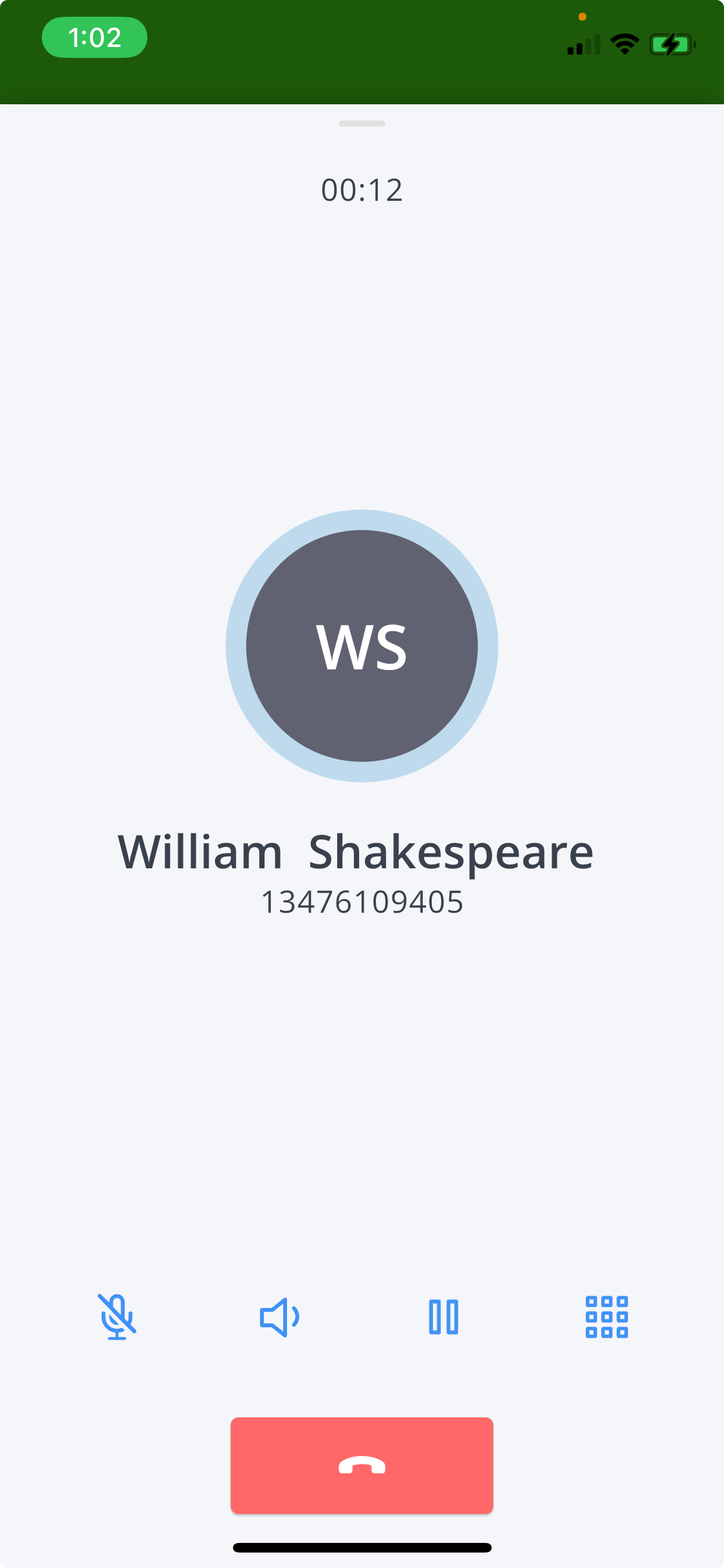
- Mute
- Speaker
- Show Keypad
- Hold
Control your microphone:
- Click the mute icon
- Icon turns blue when muted
- Click again to unmute
Control call audio:
- Click the speaker icon
- Switch between speaker/earpiece
- Click again to switch back
Show the dial pad:
- Enter additional numbers
- Navigate phone menus
- Use feature codes
Put calls on hold:
- Click the hold icon
- Caller hears music on hold
- Click again to resume
Call Transfer
The app includes a powerful blind transfer feature that lets you instantly redirect calls to other team members or phone numbers. This streamlines call handling and improves customer service efficiency.
Using Blind Transfer
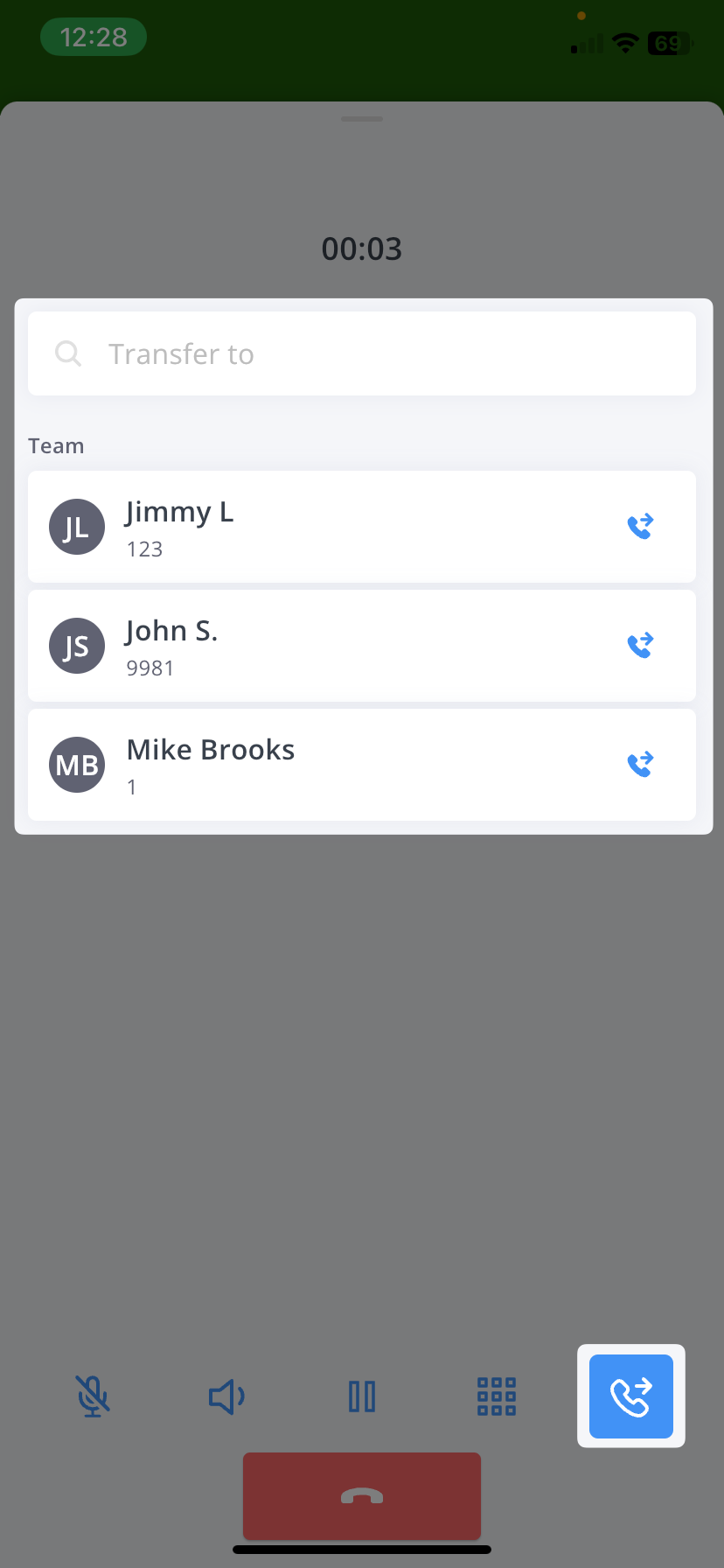
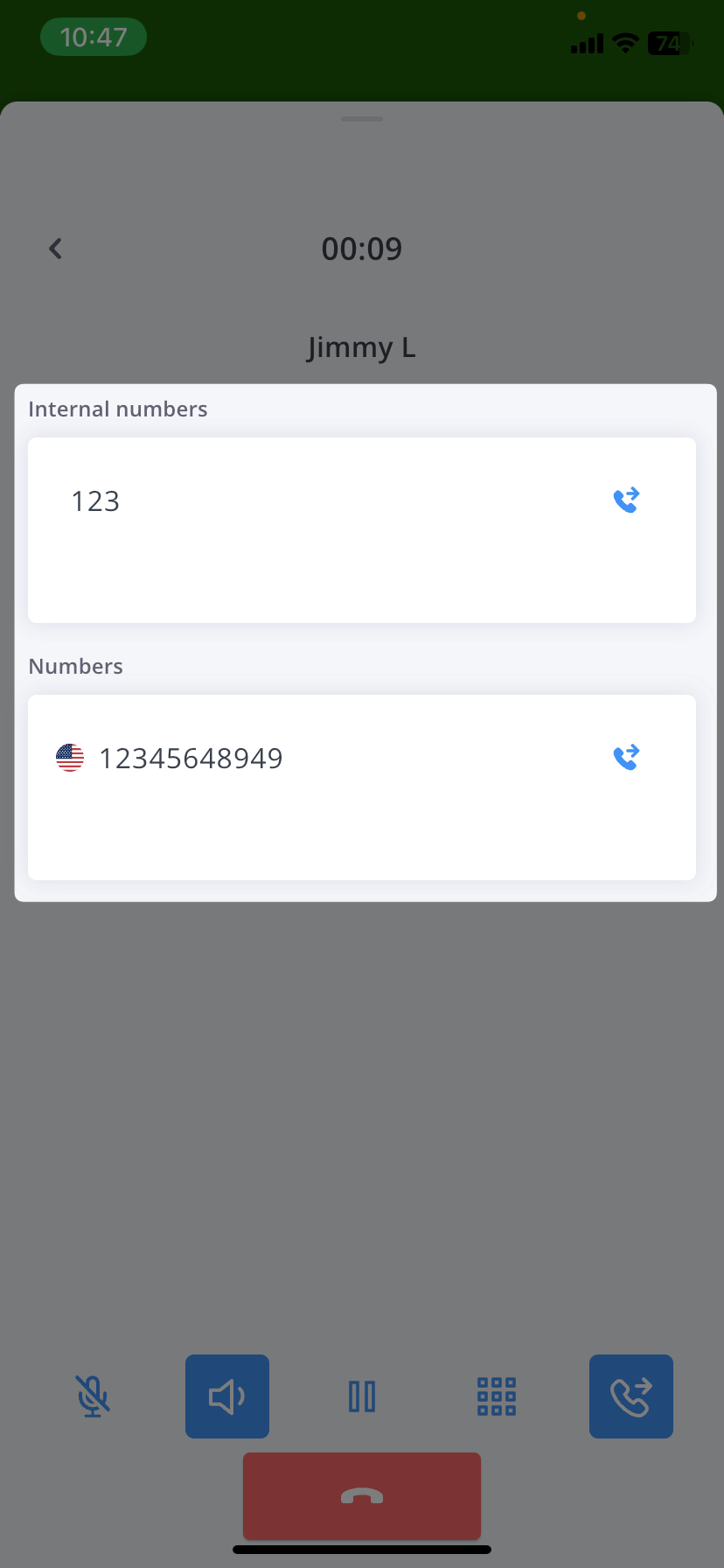
During an active call, you can transfer it in two ways:
- To an internal team member (using extension)
- To any external phone number
Blind transfer is perfect for:
- Reception desk routing calls to appropriate departments
- Sales team forwarding leads to available representatives
- Support escalating issues to specialists
- Quick handoffs during busy periods
- Routing calls to mobile team members
A blind transfer immediately connects the caller to the new destination without first speaking to the recipient. This is different from an attended transfer where you would talk to the recipient first. Blind transfers are ideal when:
- You know the recipient is available
- The transfer destination is standard procedure
- Quick call routing is needed
- The caller already knows who they need to reach
Feature Codes
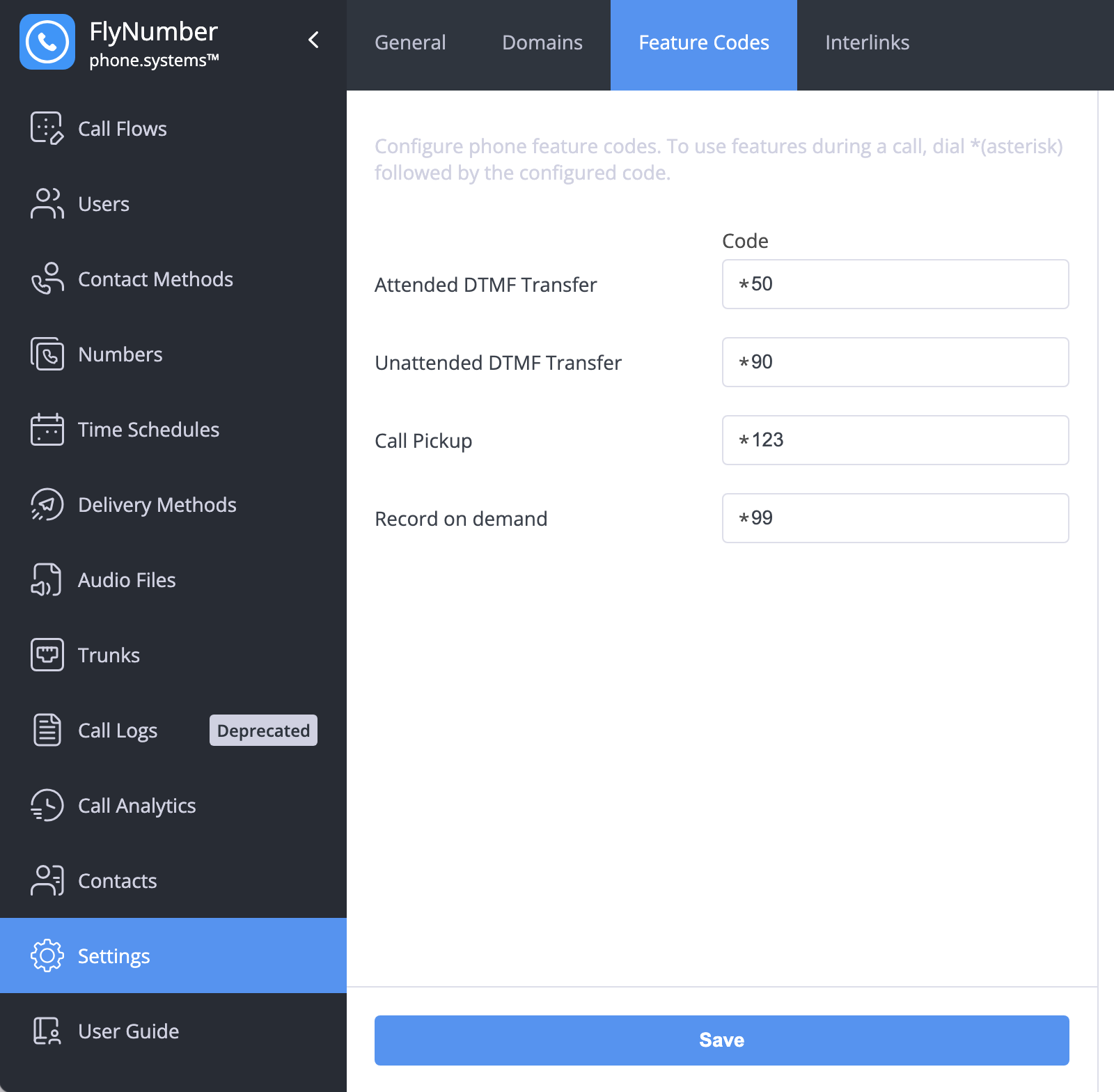
Feature codes let you perform special actions during calls by dialing * followed by a code. You can set up your own codes in Settings → Feature Codes. Common uses include:
- Call Recording: If enabled in your app settings, dial your code (like *99) to start recording
- Call Transfer: Transfer calls with or without speaking to the recipient first
- Call Pickup: Answer calls ringing on other extensions
When using feature codes:
- Dial * followed by your configured code
- For transfers, enter the extension when prompted
- You'll hear a sound effect when recording starts
You can customize these codes to match your preferences. Just go to Settings → Feature Codes in the phone system panel and set the codes you want to use.