Forwarding (between call flows)
The Forwarding module enables calls to be transferred between different Call Flows. This is particularly useful for organizations with multiple departments or complex routing needs.
Common Uses
- Department transfers
- Escalation paths
- Cross-team routing
- Overflow handling
- Multi-location routing
How It Works
Forwarding between call flows requires two components:
- An Internal Number in the destination call flow
- A Forwarding module in the source call flow
Step-by-Step Setup
1. Set Up Destination Call Flow
First, create an Internal Number in the call flow you want to forward calls to:
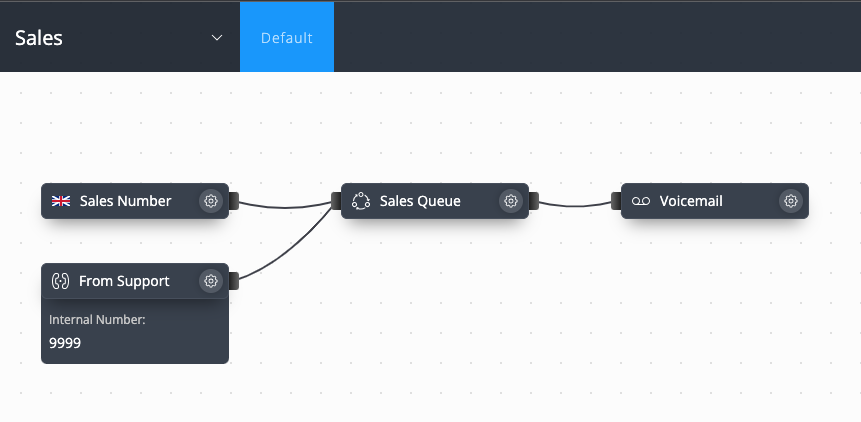
- Add an Internal Number module to the destination call flow
- Configure the extension number (e.g., 9999)
- Connect it to the desired call path
2. Configure Forwarding
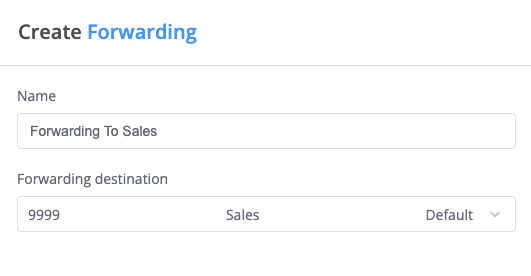
In the source call flow:
- Add the Forwarding module
- Set a descriptive name
- Select the Internal Number destination from step 1
Practical Example
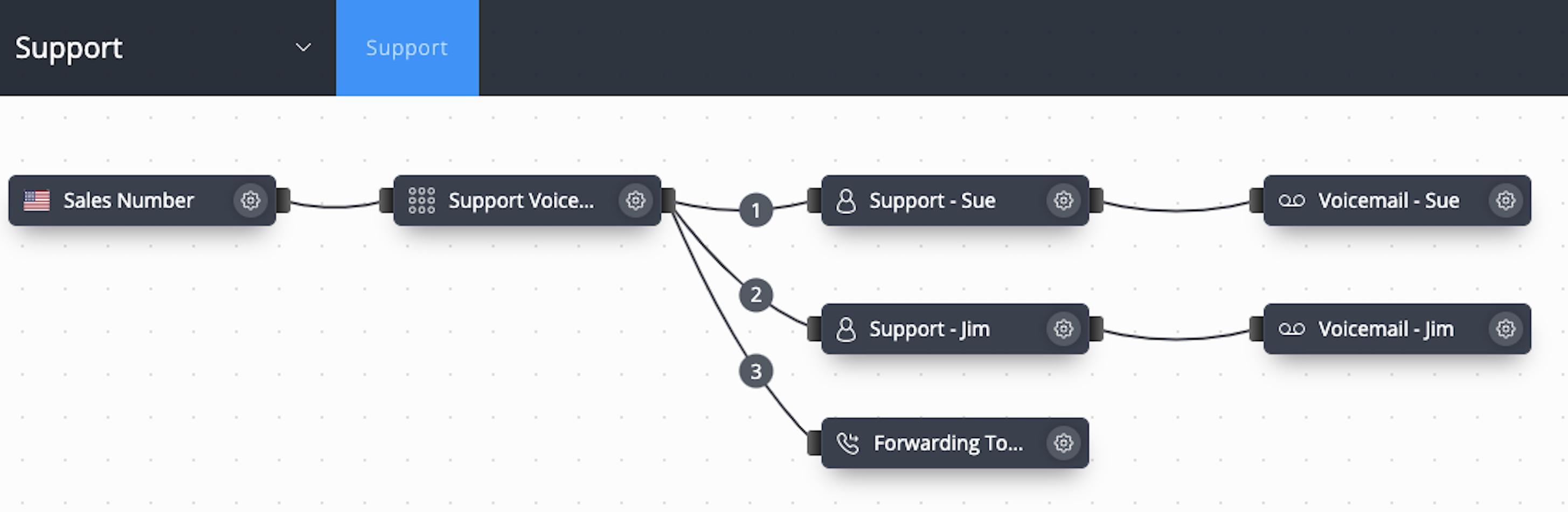
Here's a complete forwarding setup between Support and Sales call flows:
Support Call Flow
Sales Call Flow
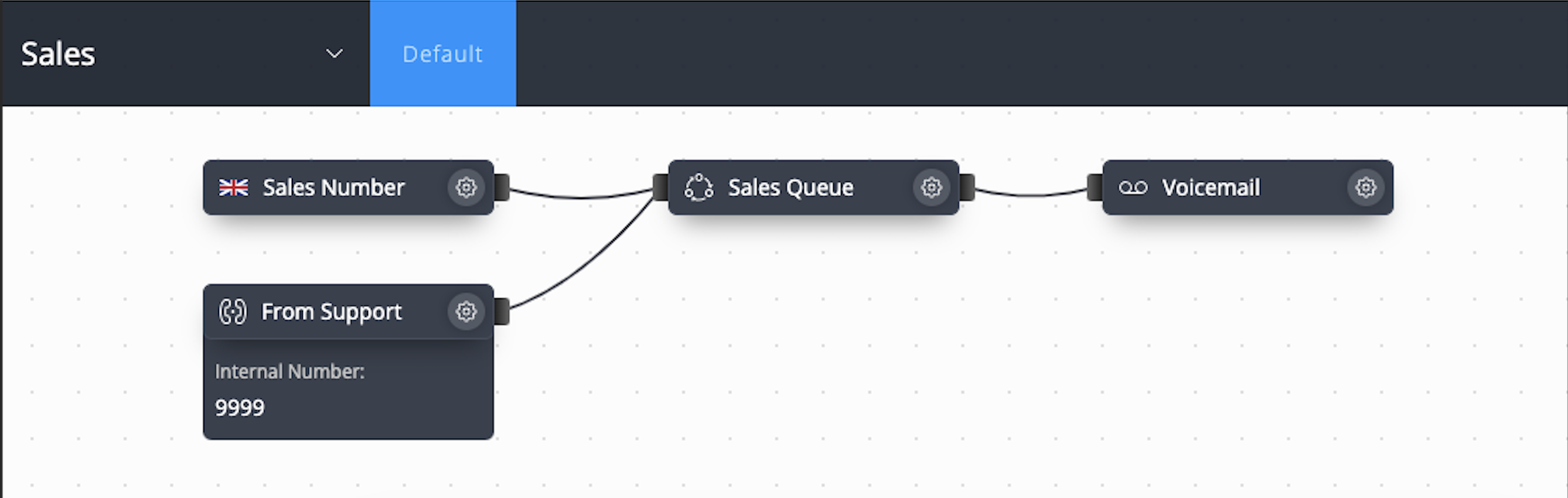
In this example:
-
Support call flow has a Voice Menu where:
- Press 1: Route to Sue
- Press 2: Route to Jim
- Press 3: Forward to Sales
-
Sales call flow receives forwarded calls through:
- Internal Number (extension 9999)
- Routes to Sales Queue
- Fallback to voicemail
Best Practices
- Use clear naming conventions
- Document extension numbers
- Test forwarding paths
- Consider fallback options
- Monitor forwarding patterns
Advanced Tips
| Feature | Description | Best For |
|---|---|---|
| Multiple Forwards | Chain forwarding between flows | Complex organizations |
| Extension Planning | Systematic extension numbering | Easy memorization |
| Fallback Routes | Alternative paths if forward fails | Reliability |
warning
When setting up forwarding:
- Avoid circular forwarding paths
- Test complete call flows
- Ensure extension numbers are unique
- Document forwarding routes