App Configurations
The App Configurations tab shows all users who have the phone system app configured. Here you can manage app settings like inbound/outbound calling options and recording preferences.
See Routing Options for two ways to configure how calls reach the app - either direct assignment or through call flows.
Unlike other contact methods which can be added directly in the Contact Methods menu, app configurations must be set up through the Users menu. See App Integration in Users for details.
There are two ways to set up app configurations:
-
For New Users:
- Create a new user in the Users menu
- Enable "Configure application line in the next step"
- Complete the app configuration setup
- User will receive an email with activation instructions
-
For Existing Users:
- Ensure the user has an email address
- Go to the Users menu
- Use "Send invite to app" from the Actions menu
- See Sending App Invitations for step-by-step instructions
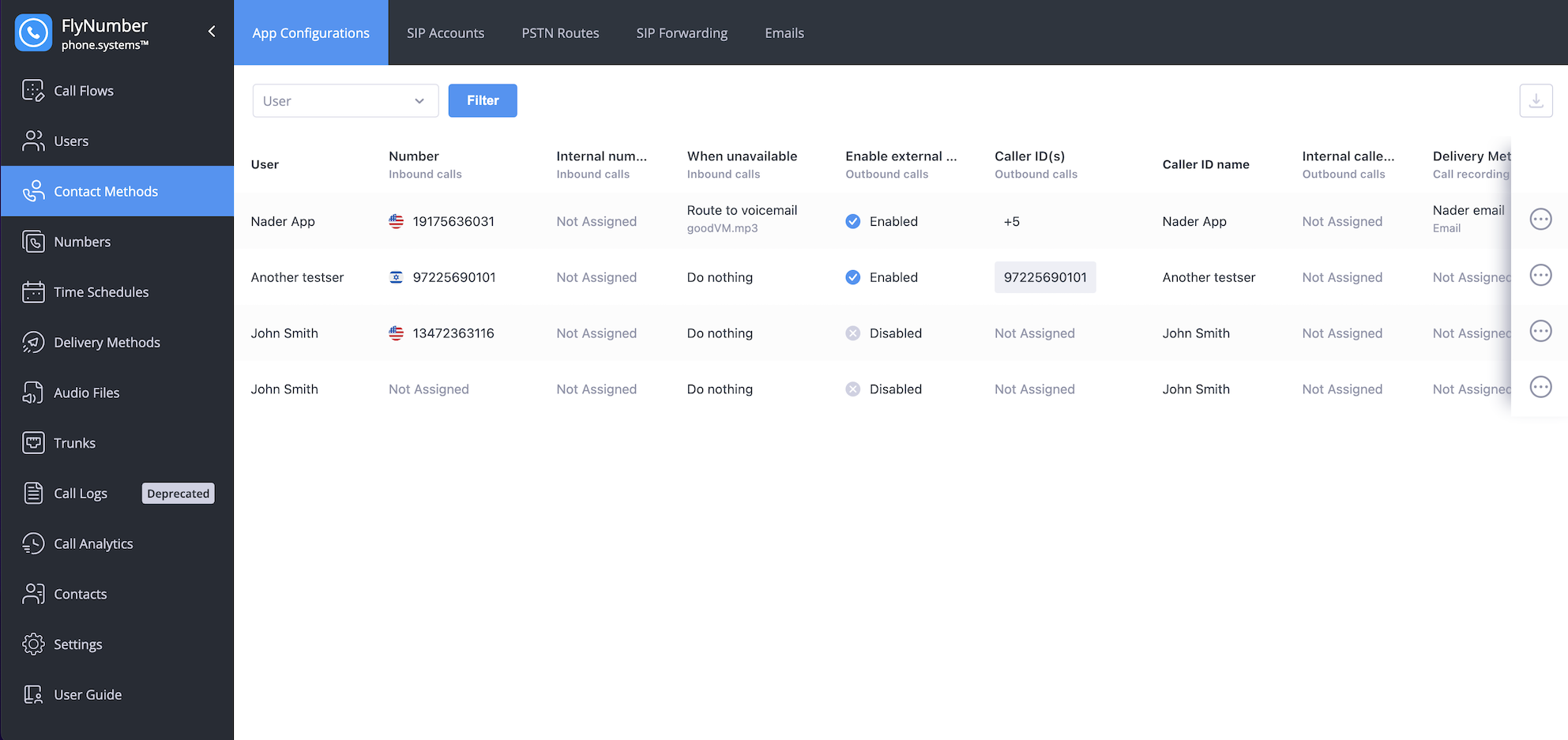
Interface Fields
The interface displays key information for each app user:
| Field | Description |
|---|---|
| User | Name of the app user |
| Number | Assigned FlyNumber for inbound calls |
| Internal number | Extension for internal calling |
| When unavailable | Action taken when user can't answer |
| Enable external outbound calls | Whether external calling is allowed |
| Caller ID(s) | Numbers used for outbound calls |
| Caller ID name | Display name for outbound calls |
| Internal caller ID | Identity for internal calls |
| Inbound internal | Call recording setting for internal incoming calls |
| Delivery Method | Where call recordings are sent |
| Inbound external | Call recording setting for external incoming calls |
| Outbound internal | Call recording setting for internal outgoing calls |
| Outbound external | Call recording setting for external outgoing calls |
| On demand | Whether manual call recording is enabled |
You can drag columns left or right to rearrange them in any order you prefer. This helps you focus on the most important information for your needs.
Click the download icon in the top right corner to export all app configurations to a CSV file. This can be useful for backup purposes or bulk review of settings.
Managing App Settings
To modify an app user's settings:
- Click the Actions menu (three dots) for the user
- Select "Edit"
- Adjust the configuration options:
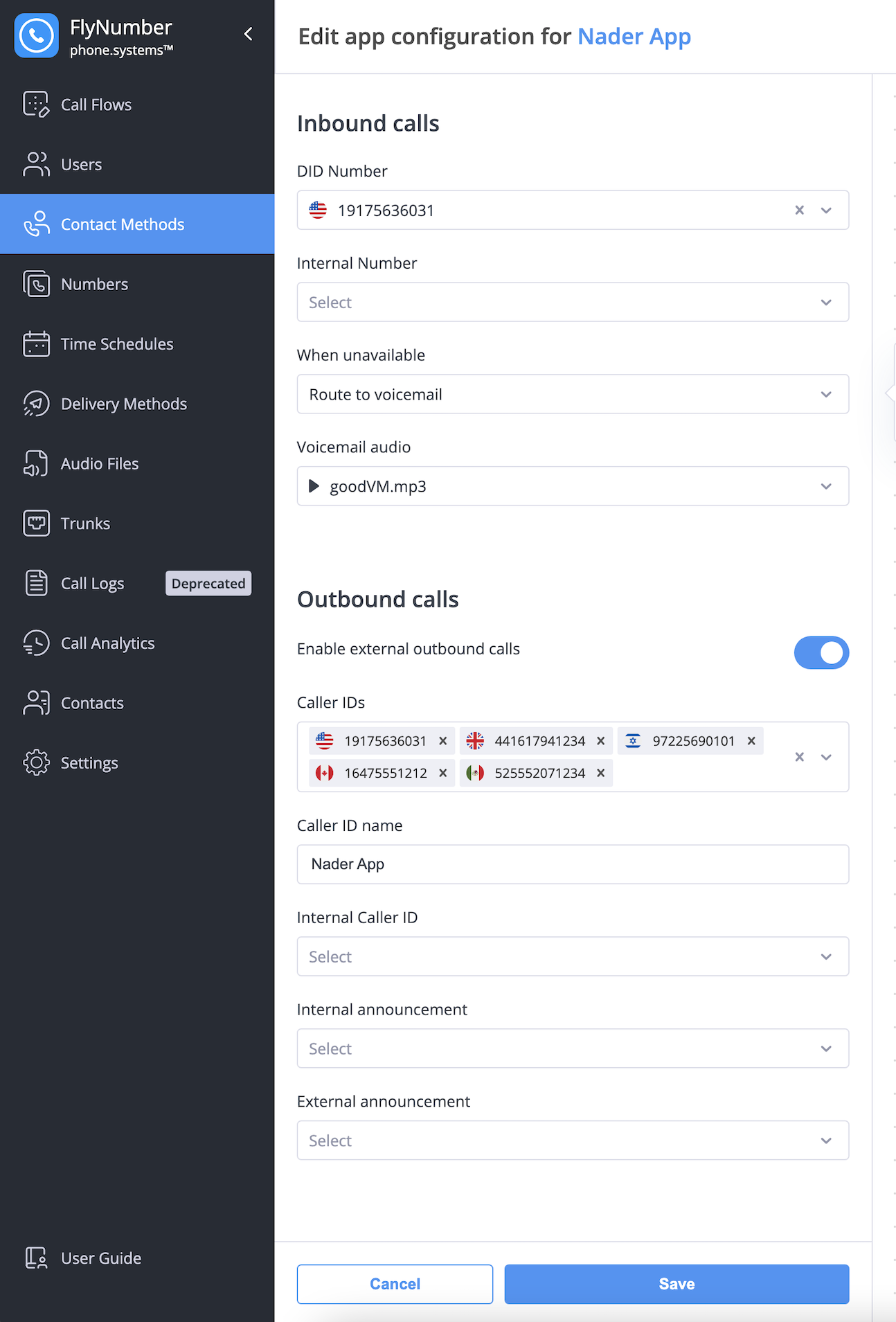
Outbound Call Settings
- Enable external outbound calls: Toggle ability to make external calls
- Caller IDs: Choose which numbers to use for outbound calls
- Caller ID name: Set the display name for outbound calls
- Internal Caller ID: Set identity for internal calls
- Announcements: Configure audio for internal/external calls
Call Recording
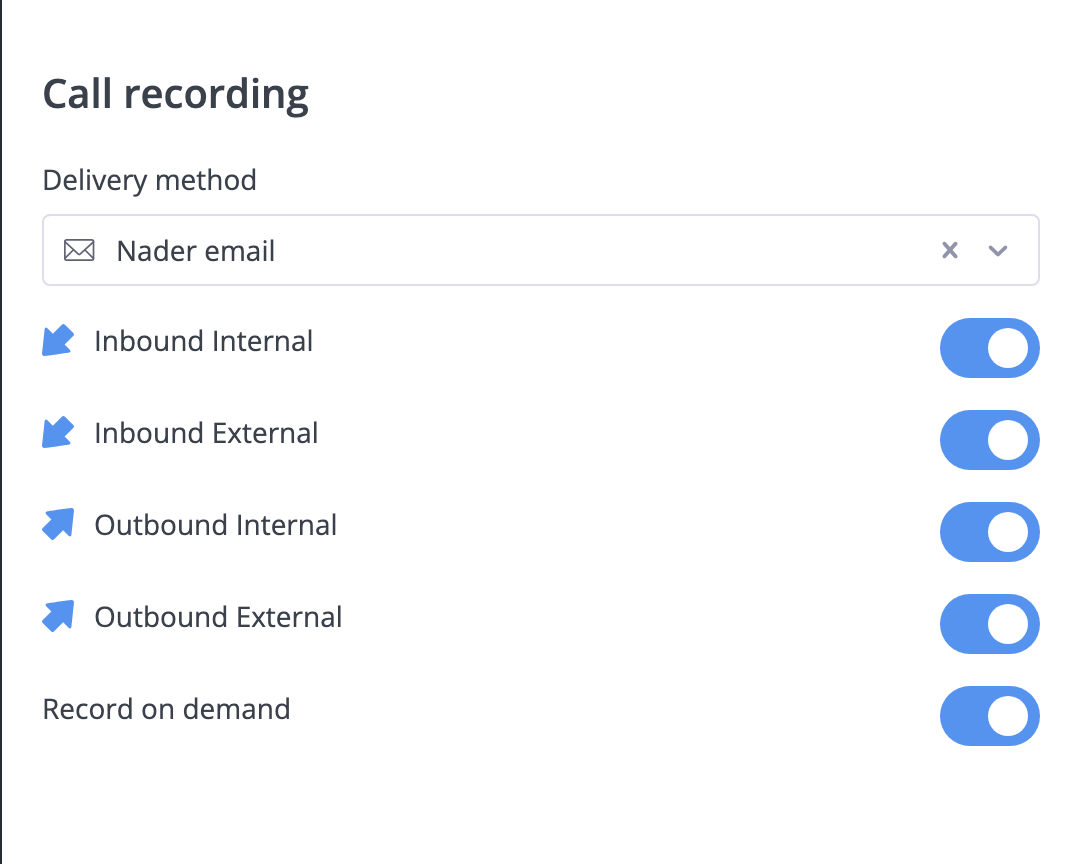
Configure which calls to record and where recordings are delivered. See Call Recording Configuration for all available options including delivery methods and cloud storage integration.
To remove an app device, you'll need to do this from the Users section under App Devices.