PSTN Forwarding
This is forwarding inside the phone system. Without the phone system, set the number's Call Handling to Forward to Phone Number — see Do I need the phone system?.
PSTN Forwarding allows you to forward calls from your FlyNumber to any regular phone number. Once you set up a route, you can use it anywhere in your call flow within the Ring Group module or Queue module.
See Routing Options for two ways to configure how calls reach your phone number - either direct assignment or through call flows.
For simple forwarding needs, assign a FlyNumber directly as the DID Number to configure everything without creating call flows on the panel. Just select your FlyNumber and enter the destination phone number to get started.
There is a per-minute rate when forwarding calls to regular phone numbers from inside the phone system.
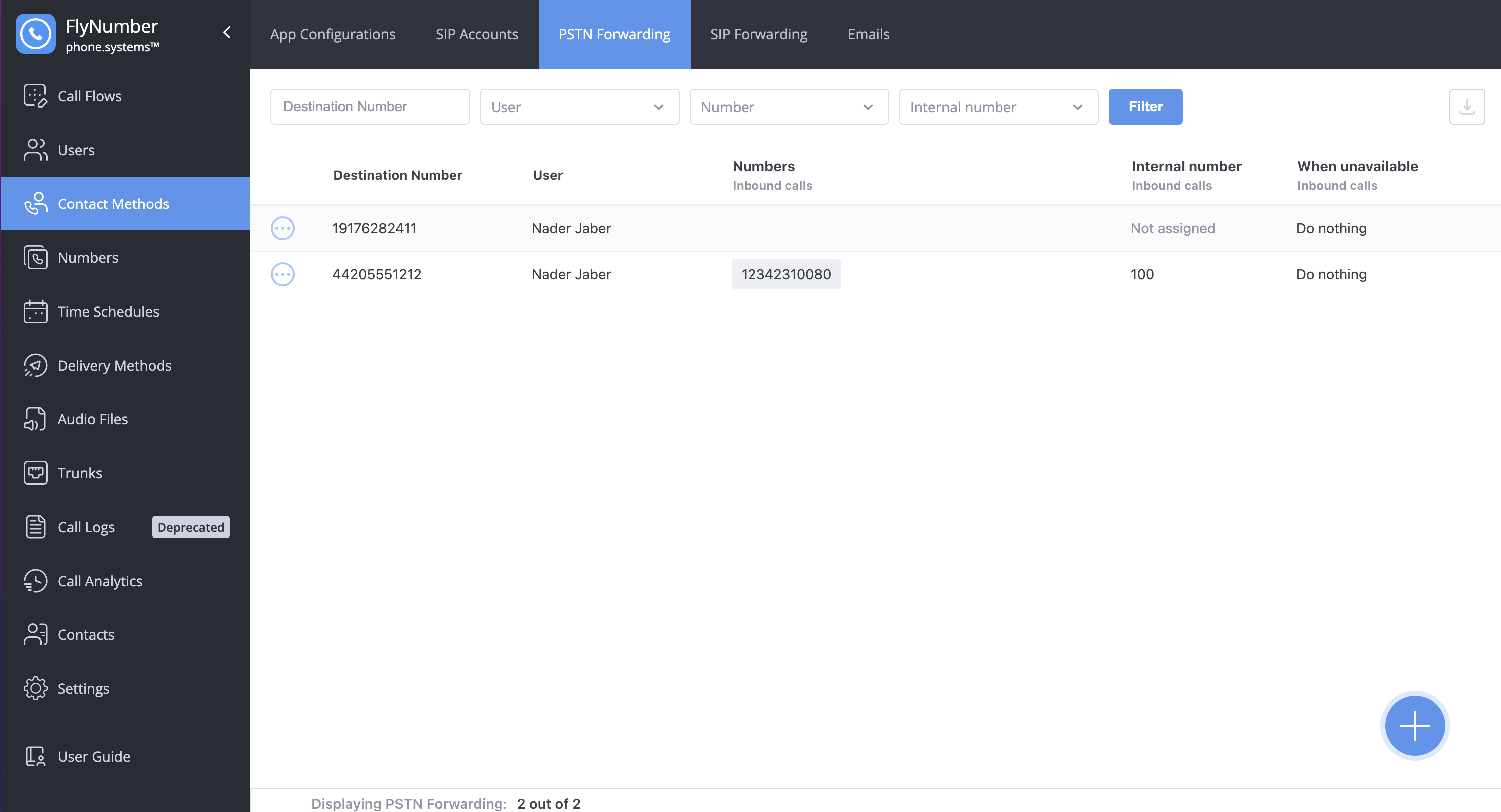
Interface Fields
| Field | Description |
|---|---|
| Destination Number | The phone number receiving forwarded calls |
| User | Name of the user this route is assigned to |
| Number | FlyNumber used for inbound calls |
| Internal number | Extension for internal calling |
| When unavailable | Action taken when destination is unreachable |
| Allow Call Transfer | Indicates if call transfer is enabled |
You can drag columns left or right to rearrange them in any order you prefer. You can also download your PSTN forwarding configuration by clicking the download icon in the top right corner.
Caller ID Behavior
When forwarding calls to regular phone numbers through PSTN forwarding, the system passes along the caller ID of the person calling your FlyNumber.
When someone calls your FlyNumber with their number withheld (anonymous, blocked, or private), the call still connects. Your phone shows your FlyNumber as the caller instead of "Private", because carriers do not accept forwarded calls without a caller ID. The same applies to calls that arrive with an invalid or malformed caller ID. Your call log in the panel still records the call as anonymous.
Call Loop Prevention
A common issue occurs when you forward your FlyNumber to a phone number and then attempt to call the FlyNumber from that same phone number. This creates a routing loop that prevents the call from connecting.
If your FlyNumber forwards to +1-555-123-4567, do not call the FlyNumber from +1-555-123-4567. The system cannot route a call back to its originating number.
Why this happens: When you call your FlyNumber from the forwarding destination, the system attempts to route the incoming call right back to where it originated. This circular path has no valid endpoint, so the call fails.
How to fix it:
- Forward to a different number: Set up PSTN forwarding to a phone number other than the one you're calling from
- Call from another device: Test your FlyNumber by calling from a different phone, mobile carrier, or VoIP service
If you see errors in your Call Logs, check whether the caller's number matches your forwarding destination. This mismatch is often the cause — these failed calls show up with status Busy and reason Line busy.
Creating PSTN Forwarding
To create new PSTN forwarding:
- Click the + button in the bottom right corner
- Configure the following settings:
General Settings
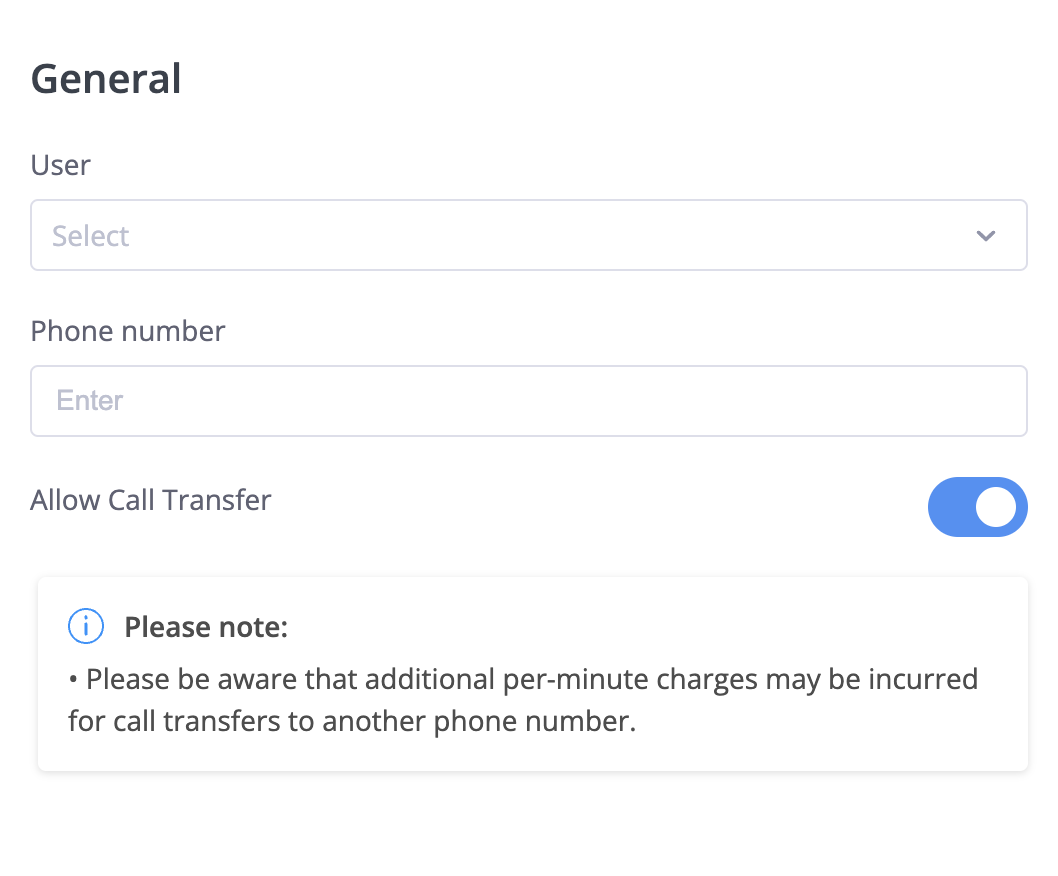
Configure the basic settings:
- User: Select the user who will own this route
- Phone number: Enter the destination number in E.164 format:
- No + symbol, 011, or 00 prefix
- Include country code and full number
- Examples:
- UK: 44405551212
- USA: 12125551212
- Allow Call Transfer: Enable to allow callers to transfer calls
warning
Enabling call transfers may incur additional per-minute charges for the transferred calls.
Call Transfers
PSTN forwarding supports call transfers when enabled. See Call Transfers for details on attended and unattended transfers.